
If you have a business, you know you need to get found on search engines. To get regular traffic to your website and a passive stream of customers who are actively searching for your niche.
And any well-established brand SHOULD be found at the top of Google search results.
But doing search engine optimization nowadays is so so complex. Even for me, as a specialist in this field and I’ve been optimizing websites daily for the last 8 years. There are always new ranking factors to catch up on and new optimizations to do.
Like core web vitals, helpful content, AI overviews. Each year, it gets tougher and tougher.
It would make sense to hire a professional agency to take care of this for you. But get ready to set aside a hefty SEO budget for credible, experienced help at least.
The good news is, you as the business owner, can very well handle your own website SEO work yourself.
Organic Search is a channel every small business owner should focus on because search engine traffic is free, can easily surpass all other sources of traffic, and help you reach you more customers online.
You can learn some SEO basics, optimize your website and scale your business organically by ranking at the top of search results.
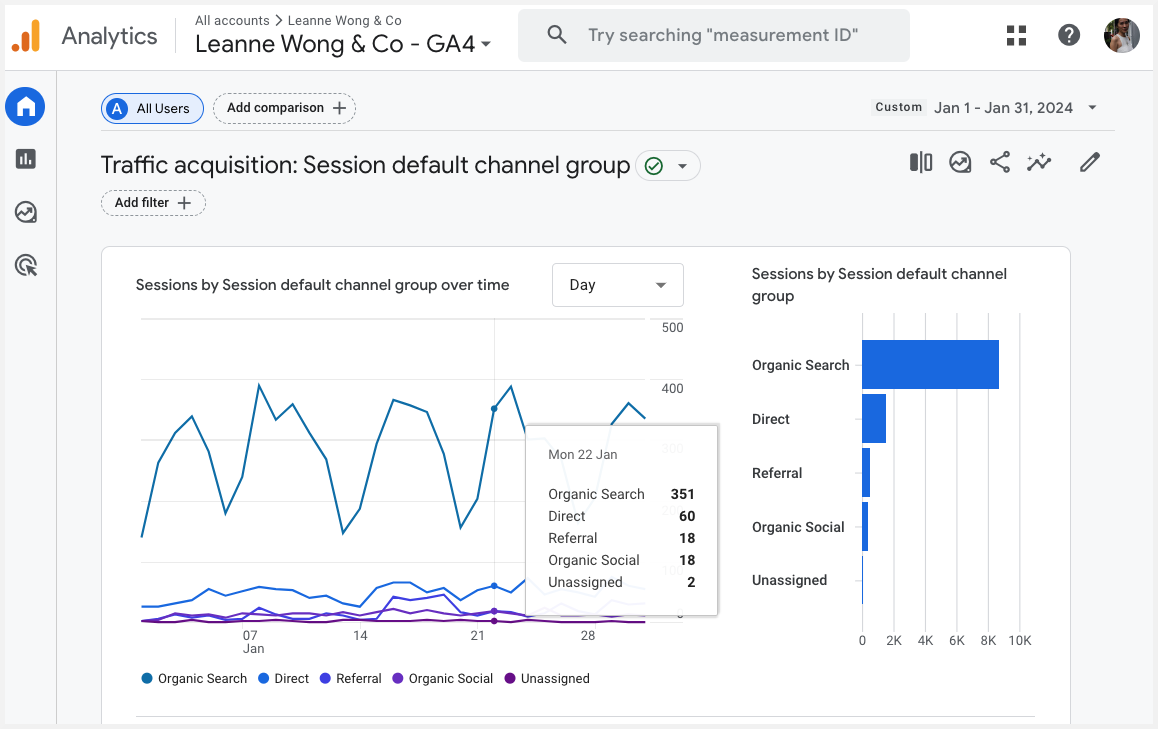
Why you can (and should) do SEO yourself
The costs of hiring an SEO agency range from $2,500 – $10,000 or more. The average price of hiring a seasoned consultant / freelancer is about $250-$300 per hour.
Not to mention ongoing monthly retainers they charge you to keep up with optimizations and maintain your rankings.
I’m here to tell you the good news, buddy. It is not mandatory to outsource your business’ SEO.
You as the business owner can very well handle most website and search engine optimization tasks on your own.
For example, these SEO tasks:
- Competitive research to find what is working in your niche
- Find keywords that are profitable and easy to rank for
- Optimize your website’s on-page SEO to rank on Google search results
- Optimize your Google business listing to rank in local results
- Conduct site audits to identify and fix site hygiene issues and improve user experience
It might sound a little fancy but it is much easier than you think. With SEO software, you don’t actually need to find keywords from scratch or manually audit your site on your own.
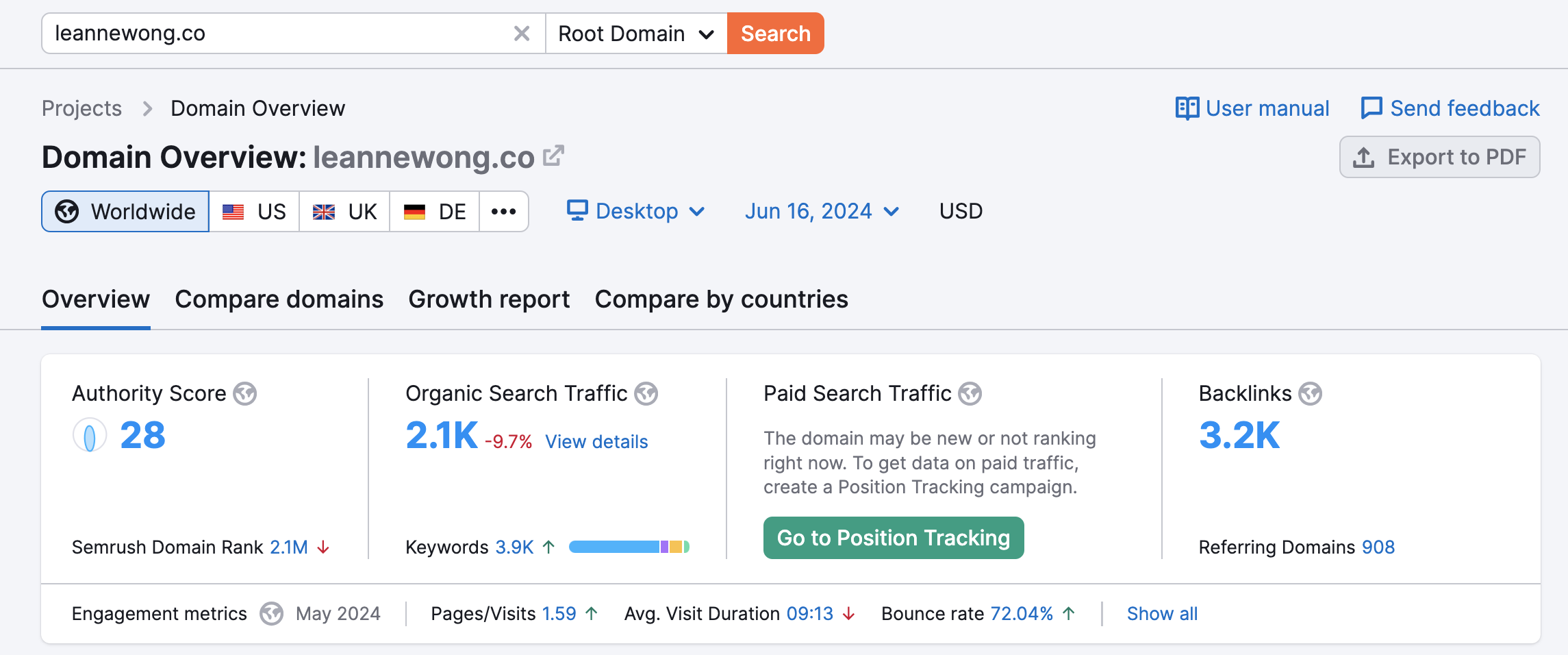
I’ll show you how I use one of my favourite SEO tools, Semrush to help my 1:1 clients with search engine optimization for their own businesses.
Yes, Semrush is a paid tool at $129.95/month and I recommend investing in a good tool like theirs to do effective SEO.
It is seriously impossible to do any effective search engine optimization on your own without tools.
There are many free SEO tools out there, but you know the saying, you get what you pay for.
Honestly, the time and effort you waste implementing SEO with inaccurate or insufficient data is more costly than the monthly price of a good tool. You can try Semrush for free for 7 days here.
I wrote a comprehensive article here about my favourite tools and features in Semrush as an SEO coach.
In this article, I’ll share 6 smart ways you can do SEO yourself as a small business owner.

Disclosure: This post contains affiliate links, which means I will make a commission at no extra cost to you should you click through and make a purchase.
1. Competitive research
You know the saying, fail to plan and you plan to fail?
Successful SEO depends on having a strategy in place to help you win in your niche and market.
One of the best ways to build a sound strategy is to analyze competitors in your niche who have a strong online presence.
Find people who have gone ahead of you, who have walked the steps that you’re on a path towards and study how they have succeeded on search engines.
Analyze a competitor domain
If you know a competitor who is just killing it at SEO, analyze their domain.
I’m using Davey and Krista’s website in this example as I work with a lot of Showit web designers and their site often comes up at the top of search engine results 😉
Semrush > Domain Overview > Enter competitor website (root domain)
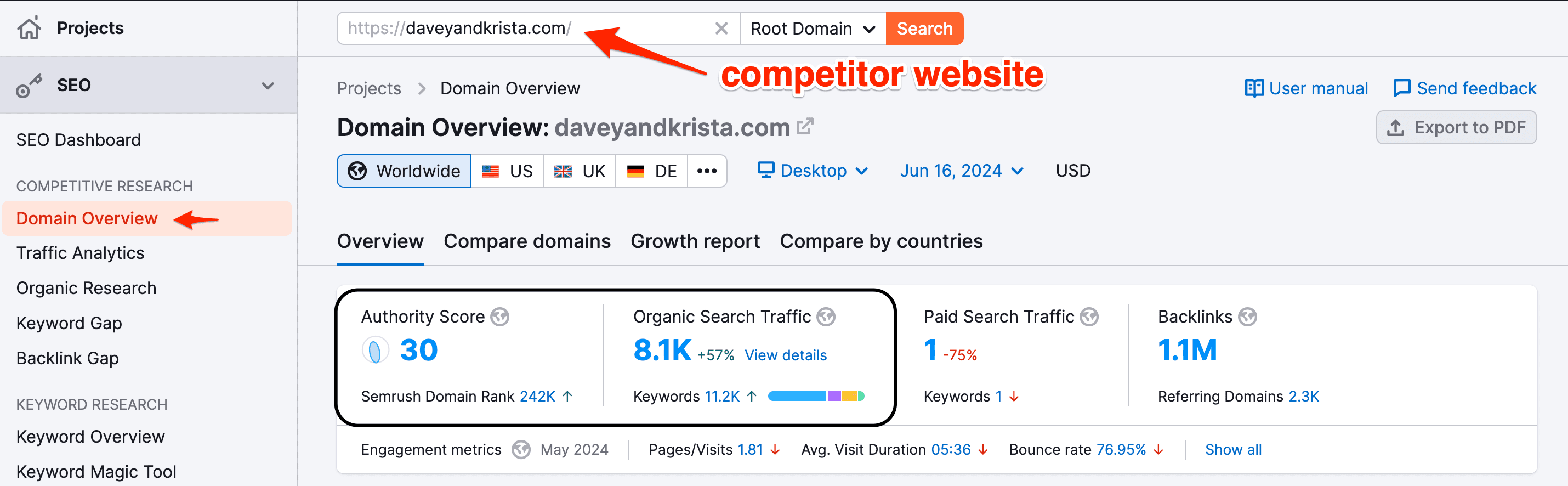
Then, get an overview of their website’s organic traffic and authority.
Organic search traffic is the first metric to look at. If a competitor website gets significantly more traffic than your own site, that is the one worth studying.
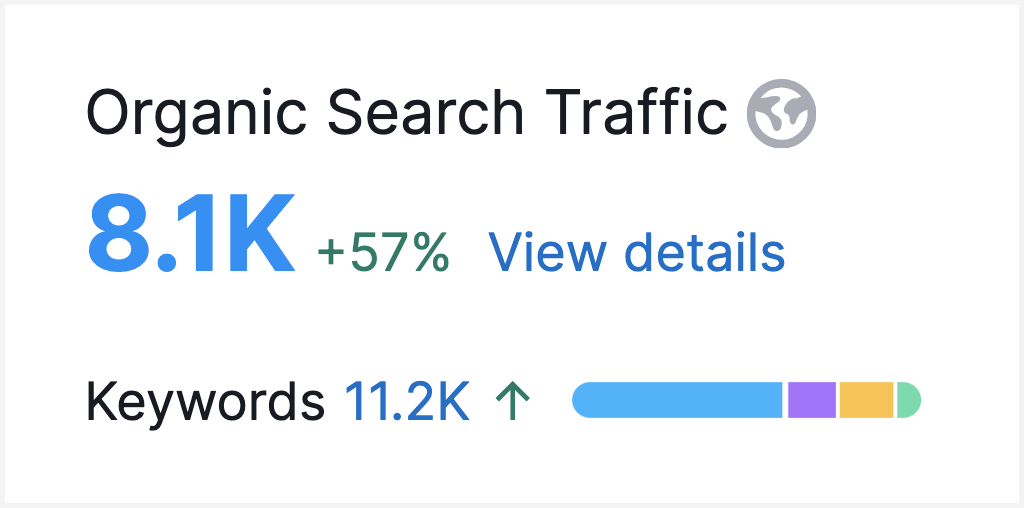
High organic traffic from a competitor’s site suggests their content have strong search engine rankings. You can analyze their pages and understand what content topics have been successful at driving Google traffic.
We can also see that this website ranks for 11.2K keywords on Google.
This totally gets my SEO heart all excited knowing we’ve got over 11 thousand keywords to analyze and potentially create relevant content to target!
Authority Score is the next metric to look at to gauge the strength of a website’s overall trustworthiness.
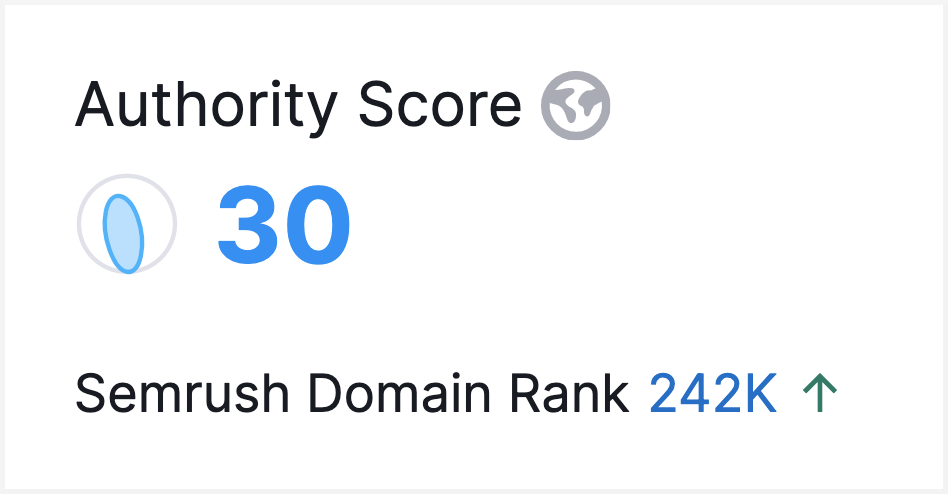
In this case, I can see that this website has a pretty good authority score of 30.
If your competitor has a higher domain authority, that shows they are getting quality backlinks from authoritative websites.
Now, you can check up on their backlink profile and see what referring domains are passing link value to their site.
Page level analysis
You can drill down to view your competitor’s entire root domain, subdomain, subfolder, or exact URL.
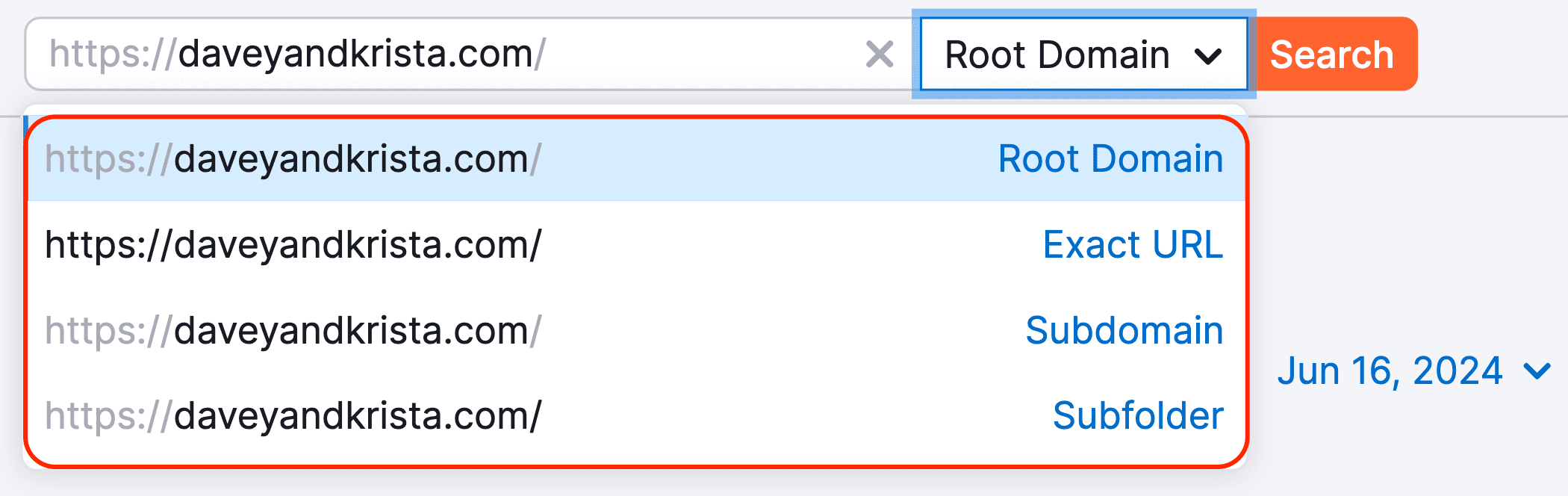
- If you want to analyze all the keywords the website ranks for, select Root Domain. This is the default selection, anyway.
- If you want to analyze a particular category on the website, select Subfolder.
- If you want to analyze a specific page only, select Exact URL.
Analyze your competitor’s organic keywords
The next step is to analyze the keywords your competitor ranks for.
For example, if we want to see the specific keywords our competitor ranks for with their product pages, we can select the product category and use the Subfolder.

Find product keywords
Since we are only drilling down to the /product category subfolder, we can find product specific keywords your competitor ranks for.
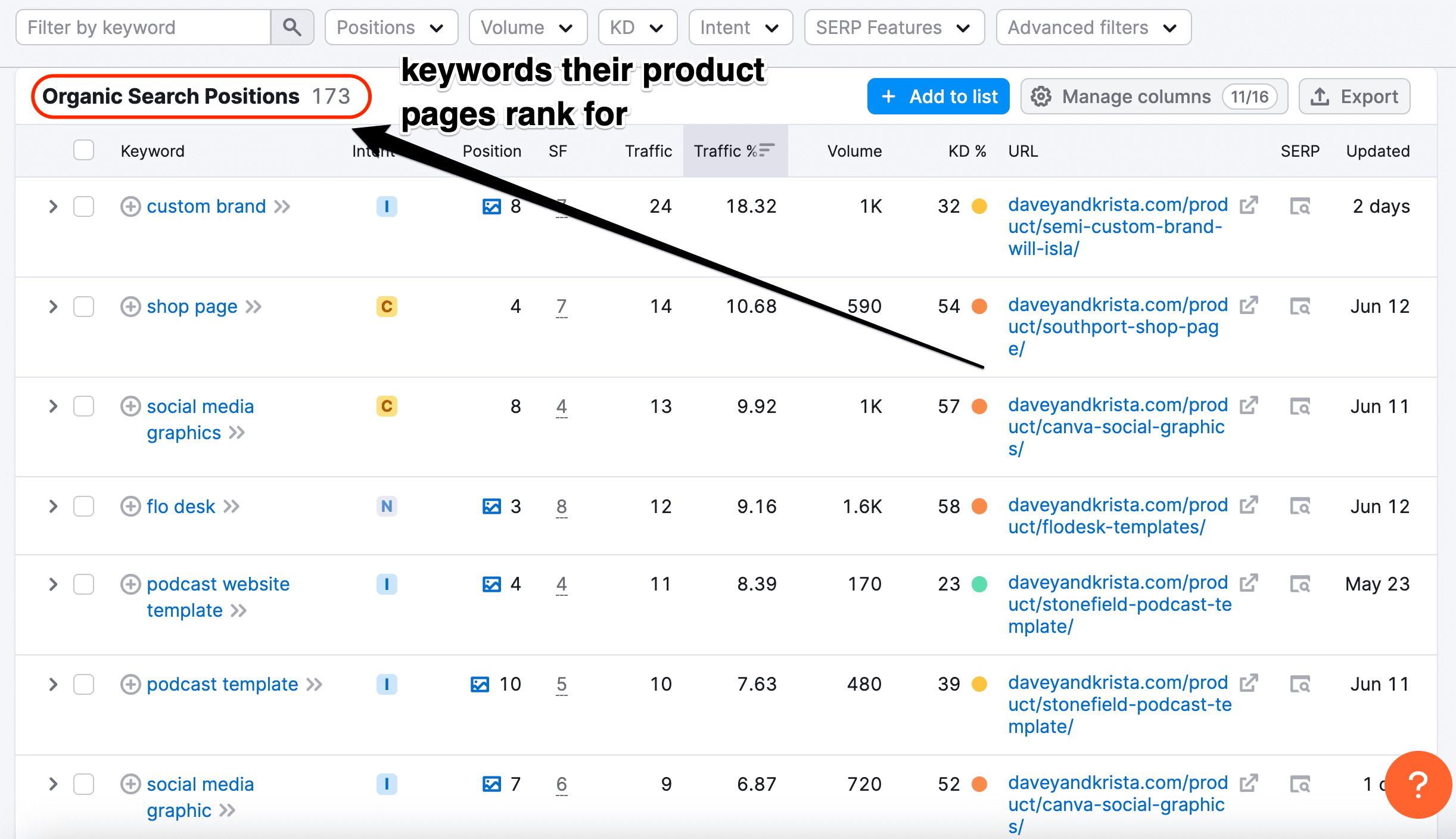
So instead of analyzing thousands of keywords your competitor ranks for, you can check a specific Subfolder or URL and find their ranking keywords.
This makes your SEO keyword research more useful.
If you’re a Showit web designer with website templates in your shop, this can be helpful to find relevant keywords to target in your product pages.
Search volume and Keyword difficulty
Another thing you can do is use the Volume and Keyword Difficulty filters to focus on keywords with at least 100 monthly search volume and a maximum difficulty of 30.

This is the fastest and probably the best way you can find keywords that have search demand, and are easy to rank for.
In just a few clicks, we found some of the best keywords in the website template product niche. For example, podcast website template, webinar registration, guide template are promising keywords.
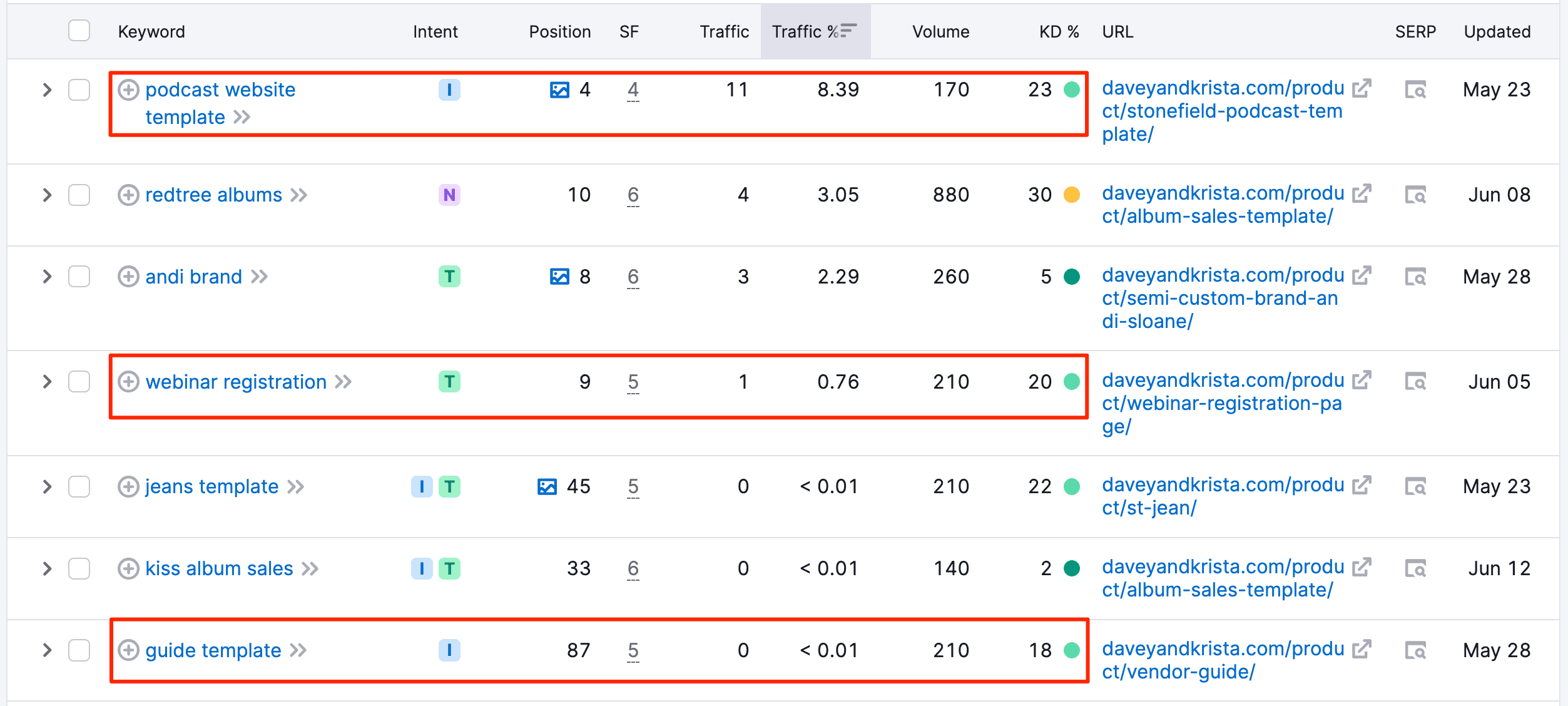
Now, this analysis is only possible with an SEO tool that can scrape the competitor domain and find what keywords the site ranks for.
Semrush is a market leader in this space with its huge keyword database of 25.8 billion keywords!
This is why it is important to pick a good and reliable tool.
Because if the tool you’re using is inferior, it would have less keywords for you to analyze, and therefore less to make use of.
Analyze your competitor’s top pages and find blog posts topics
Another great way to make use of competitive research is to analyze the top pages that drive the most traffic to the site and find content with a dominant informational keyword intent.
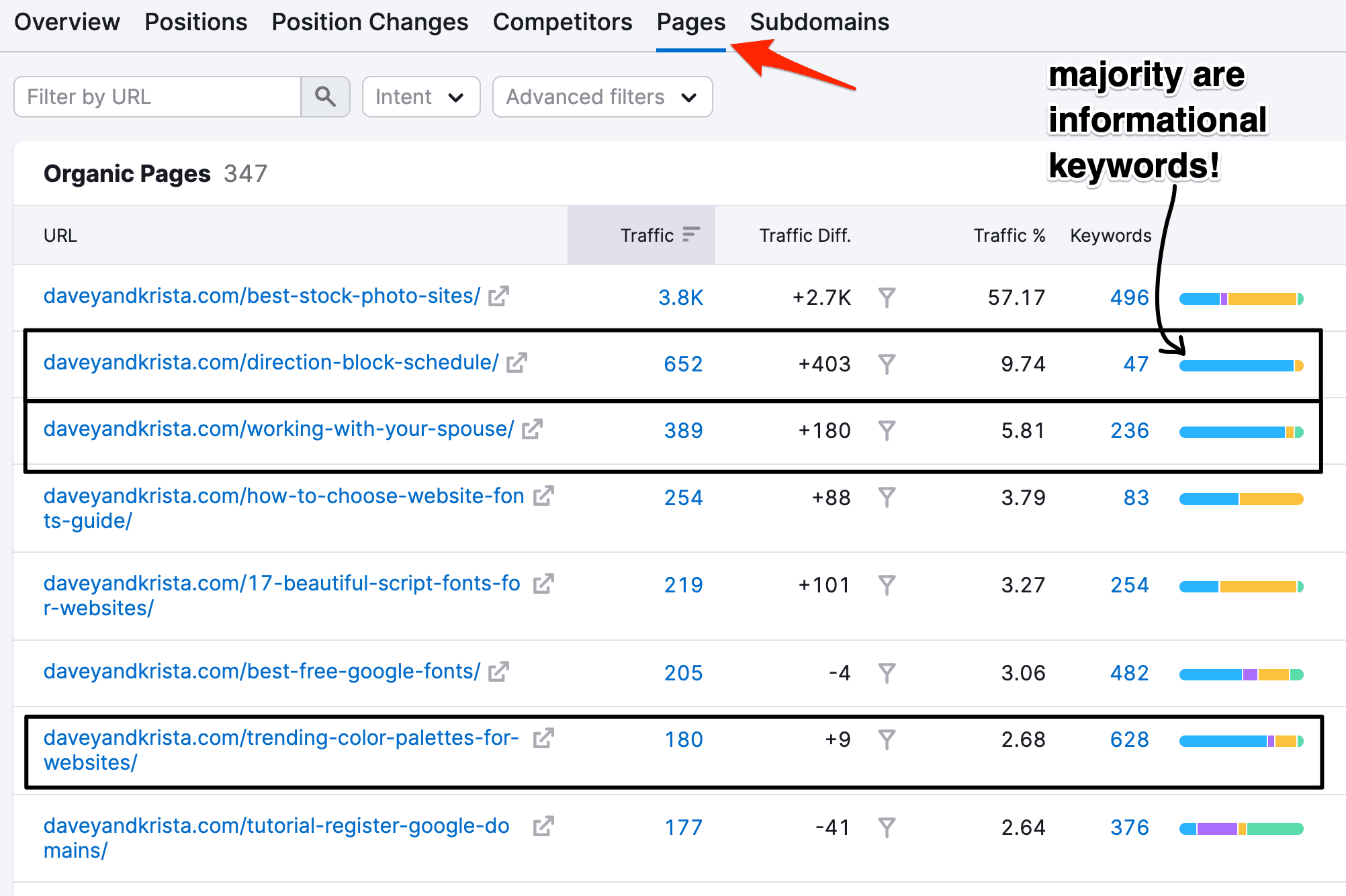
In this case, I can see that these are some of the highest traffic generating pages to the website.
The (blue) colored bar chart keyword intent immediately shows me which pages have a higher informational intent and would make good blog posts.
Not sure who your competitors are?
If you’re not sure who your competitors are, you can plug in your own website in Semrush’s Organic Research tool.
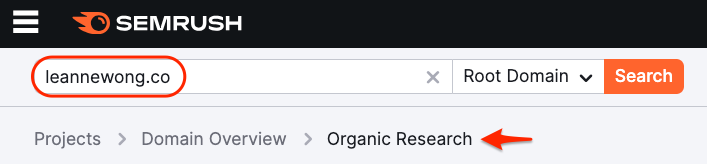
Then, scroll down to the bottom where you’ll find two competitor reports.
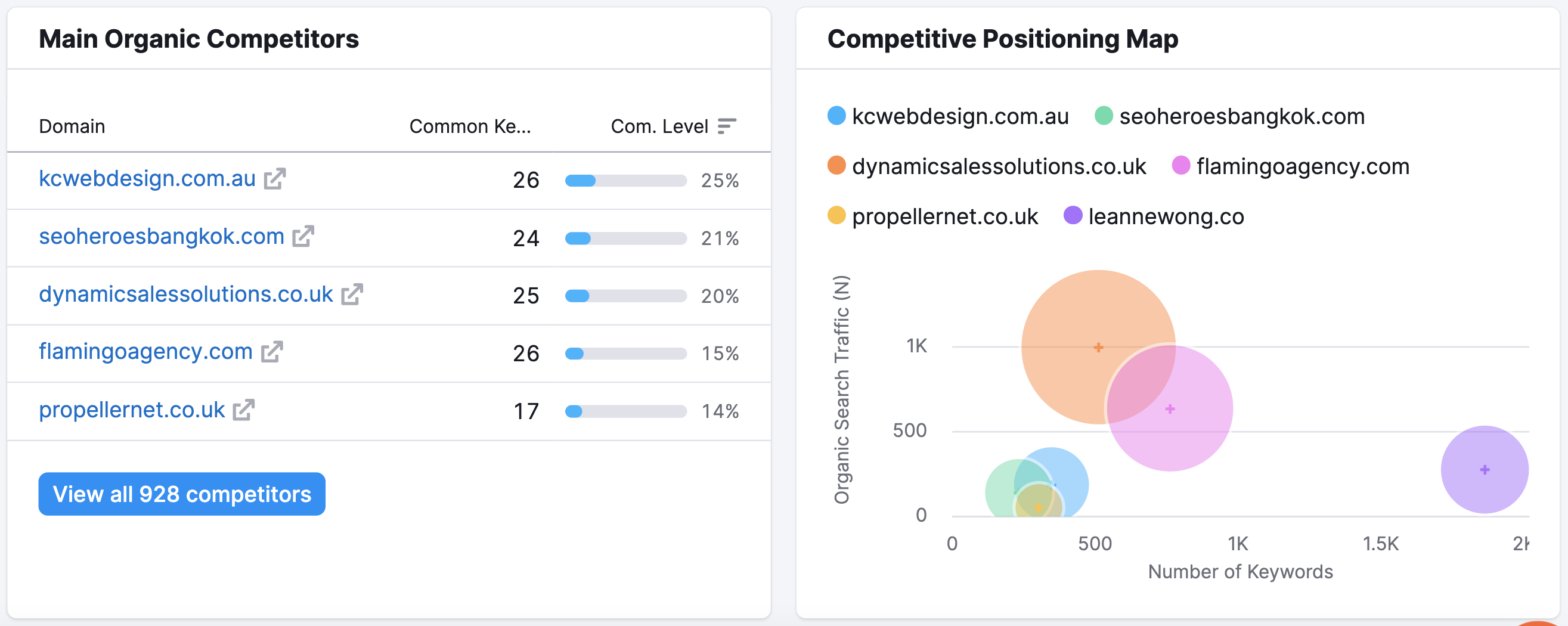
- Main organic competitors report
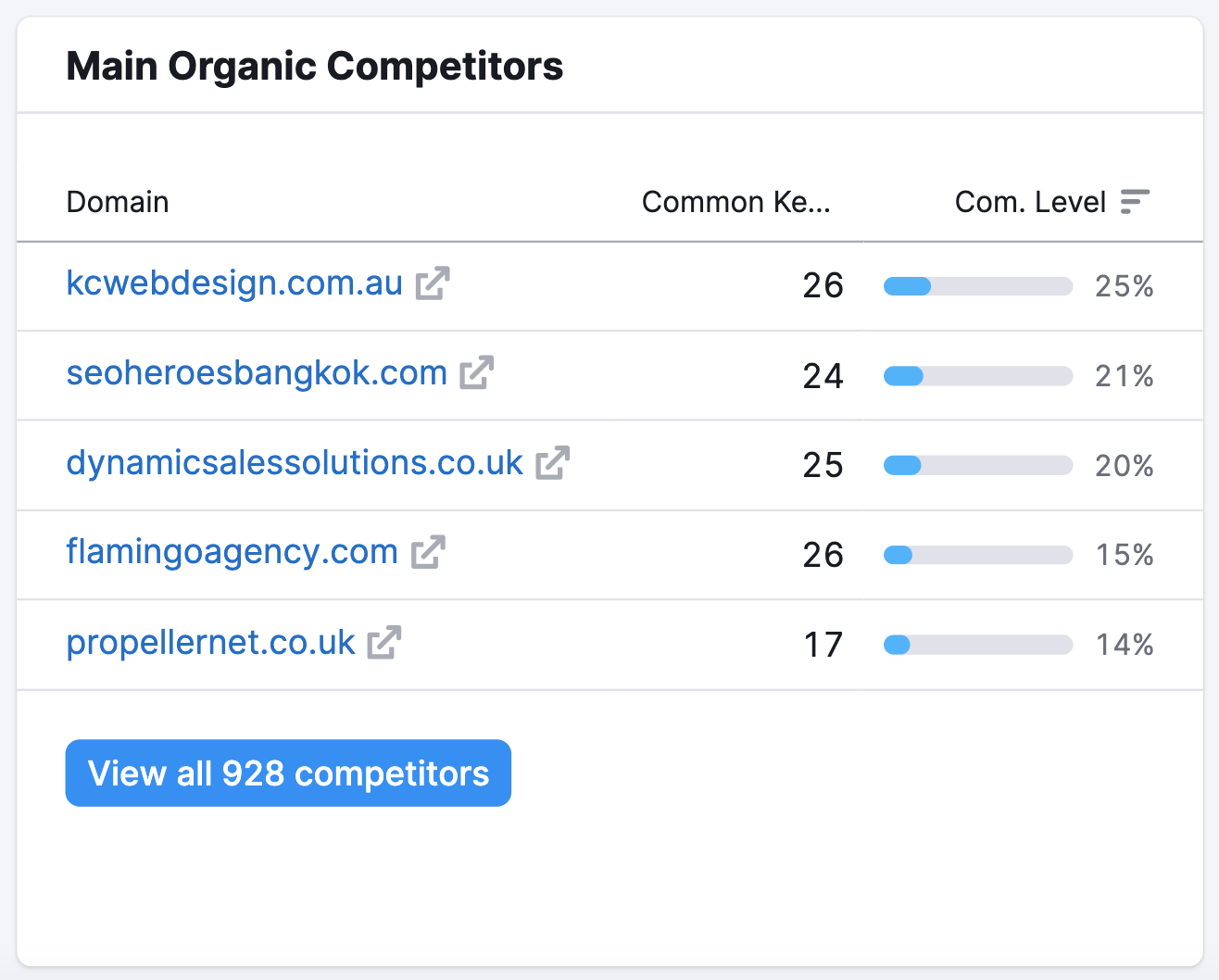
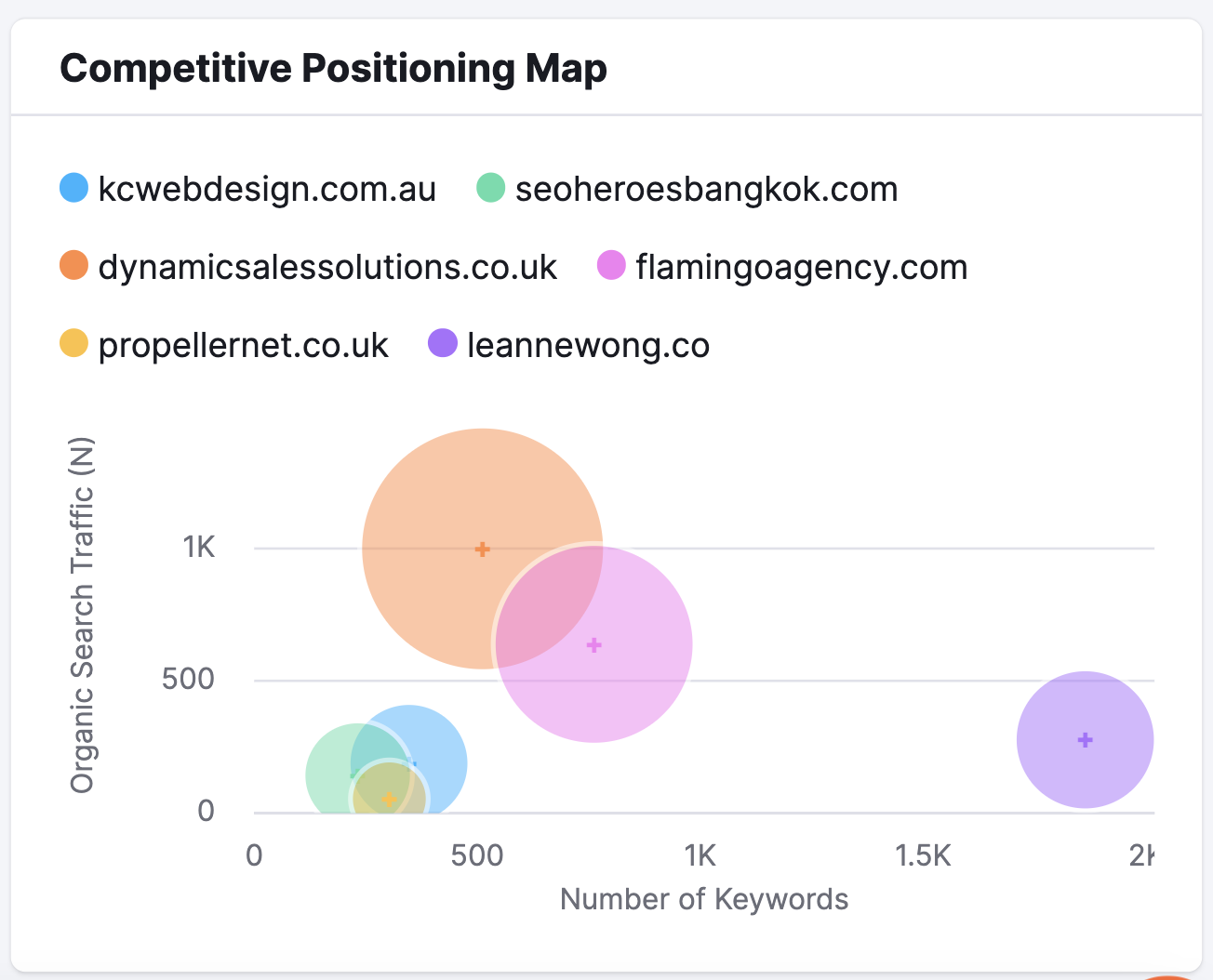
- Competitive positioning map
Main organic competitors
1) The Main Organic Competitors report shows you 5 competitor domains that share common keywords with your website. You can immediately identify your competitors in this report. How convenient is that?!
Competitive positioning map
2) The Competitive Positioning Map shows you a data visualisation of the competitors’ organic traffic and number of keywords they rank for. The larger the circle, the stronger the website’s SEO visibility.
2. Copilot AI personalised SEO recommendations
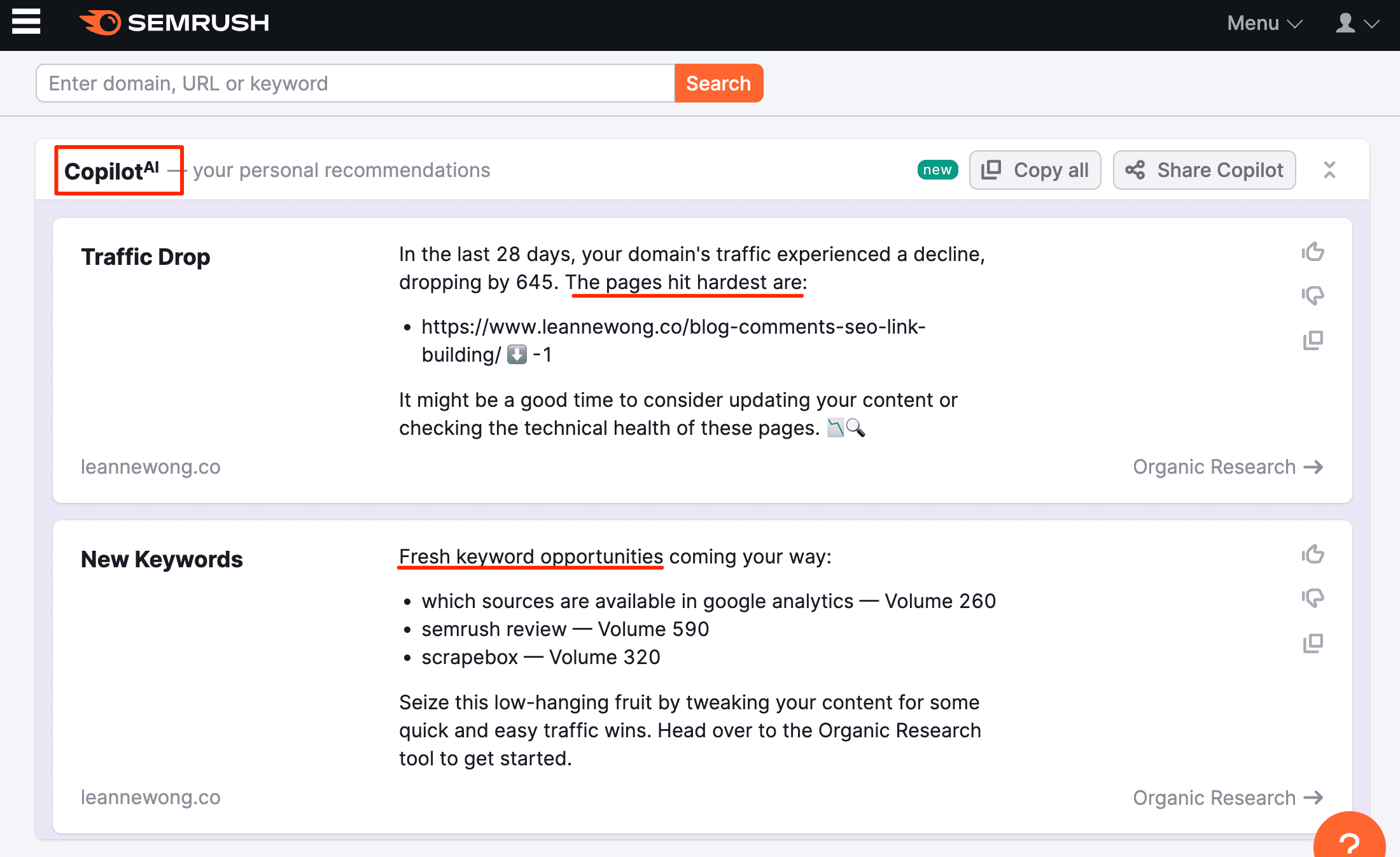
When Semrush’s Copilot AI feature came out a few months ago, I was blown away by how much it resembled the SEO reports we used to do for clients.
You know the monthly reporting with data and charts about traffic performance, keyword rankings and the SEO manager’s summary notes?
Well, Copilot AI is on its way to seriously competing with that.
What Semrush’s Copilot AI can do
- Analyze organic traffic and identify drops in visibility and traffic
- Refresh keyword rankings, find new keyword opportunities and positions that dropped
- Scan your website or client projects for technical issues
- Check backlinks and identify broken backlinks
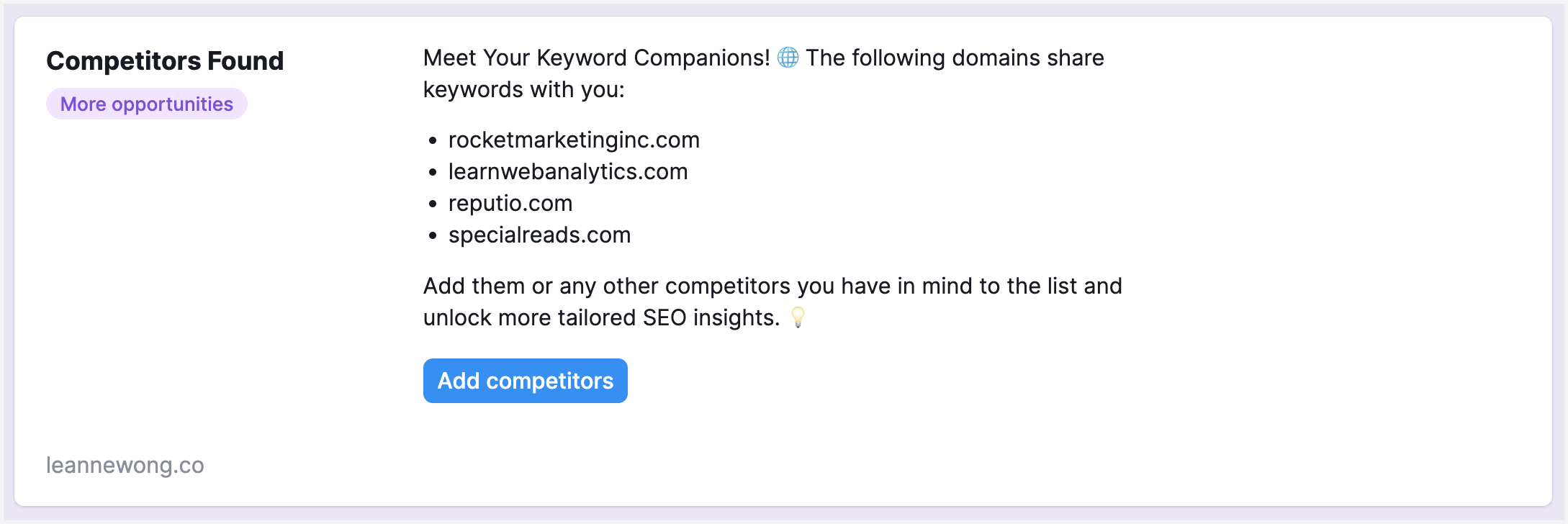
- Research competitors and identify new competitors gaining positions on SERPs
I’m not saying you should fire your SEO manager right away. Instead, make use of how advanced SEO tools have become these days.
3. Keyword research and strategy
To rank on search engines and reach your customers, you must know what search terms they are using to Google.
The easiest way to find keyword ideas is to start with a few seed keywords.

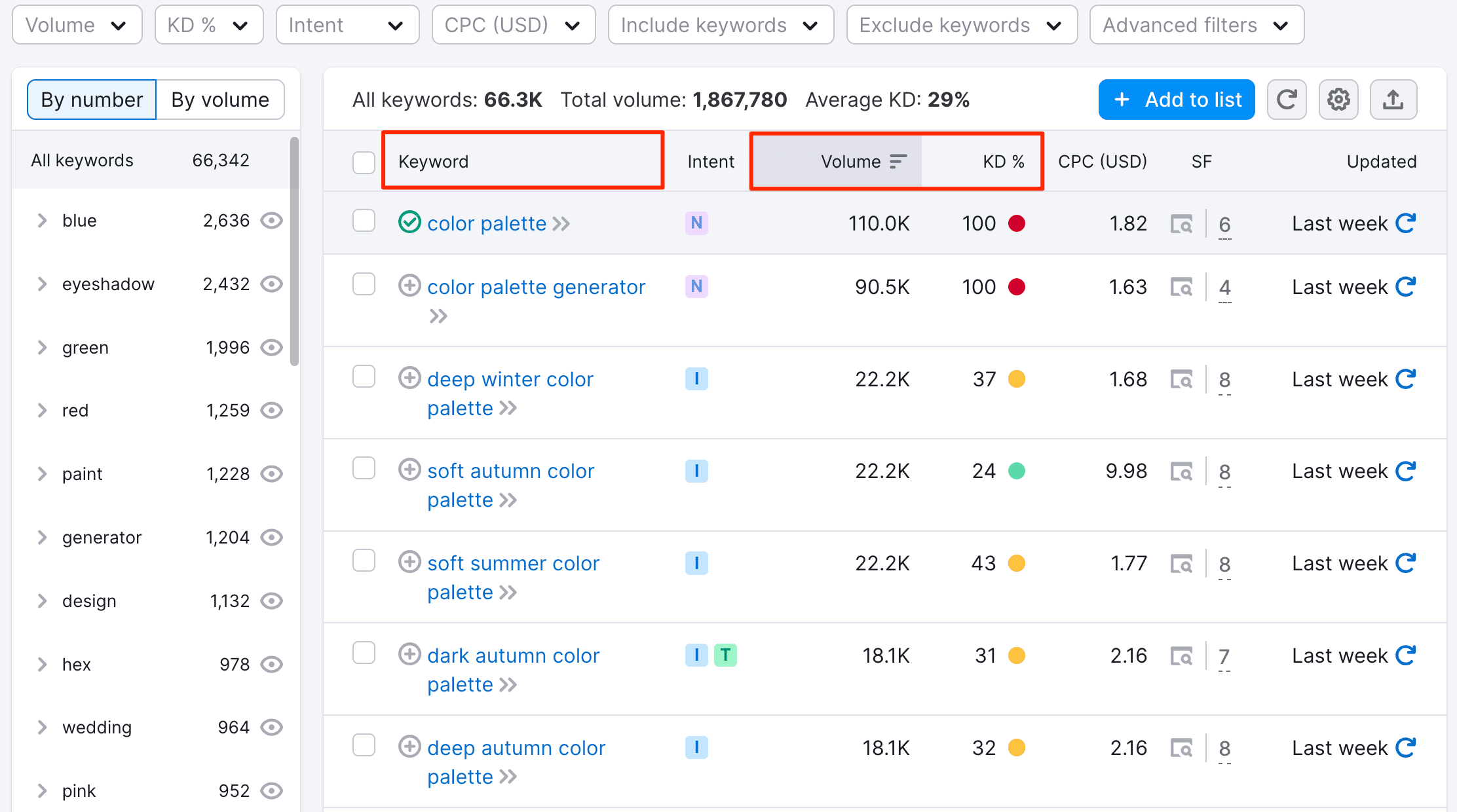
For example, if we want to know how people are searching for the topic “color palette”, we can use the Keyword Magic tool in Semrush.
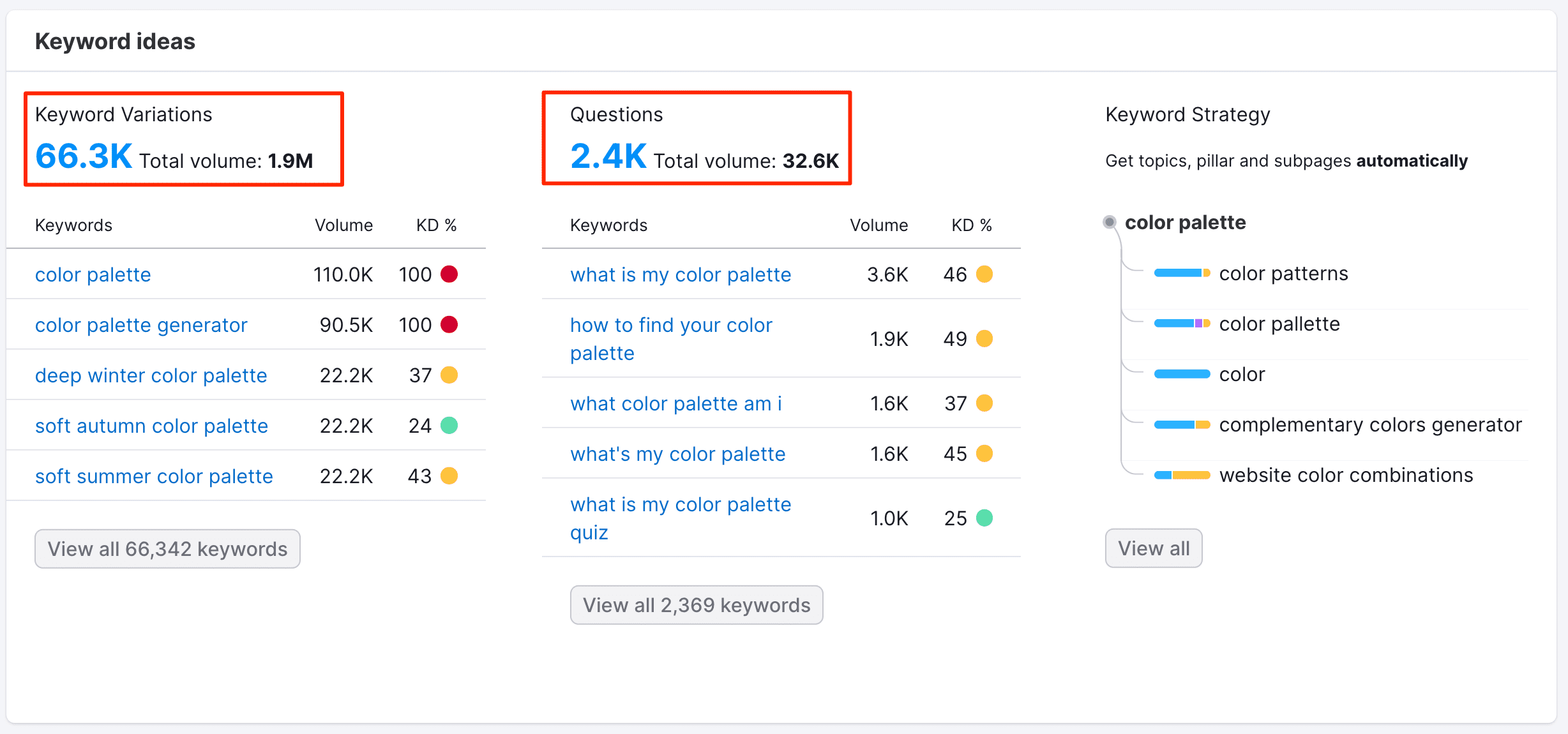
And voila, we now have find over 66,000 keyword ideas about this topic to choose from. Some awesome features from Semrush’s keyword magic tool:
- SERP features analysis: helps you discover if the keyword triggers SERP enriched results such as featured snippets, people also ask, image, video results.
- Keyword metrics: intent, search volume, keyword difficulty.
- Keyword groups: useful to organise keywords into relevant niche subgroups by the number of keywords or by search volume.
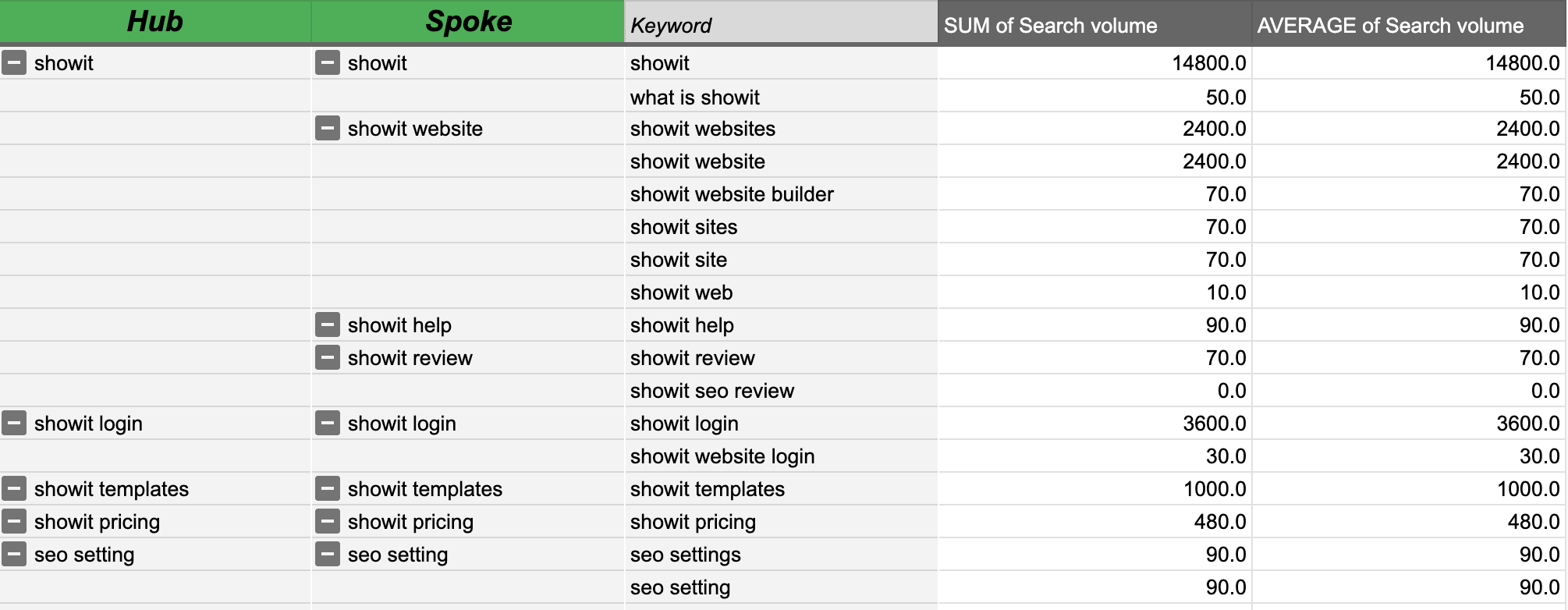
Keyword strategy with pillar and cluster pages
After the first step to find keywords, we need to apply those keywords on our website. That means assigning keywords to the right pages and structuring the site.
Traditionally, that looked something like this:
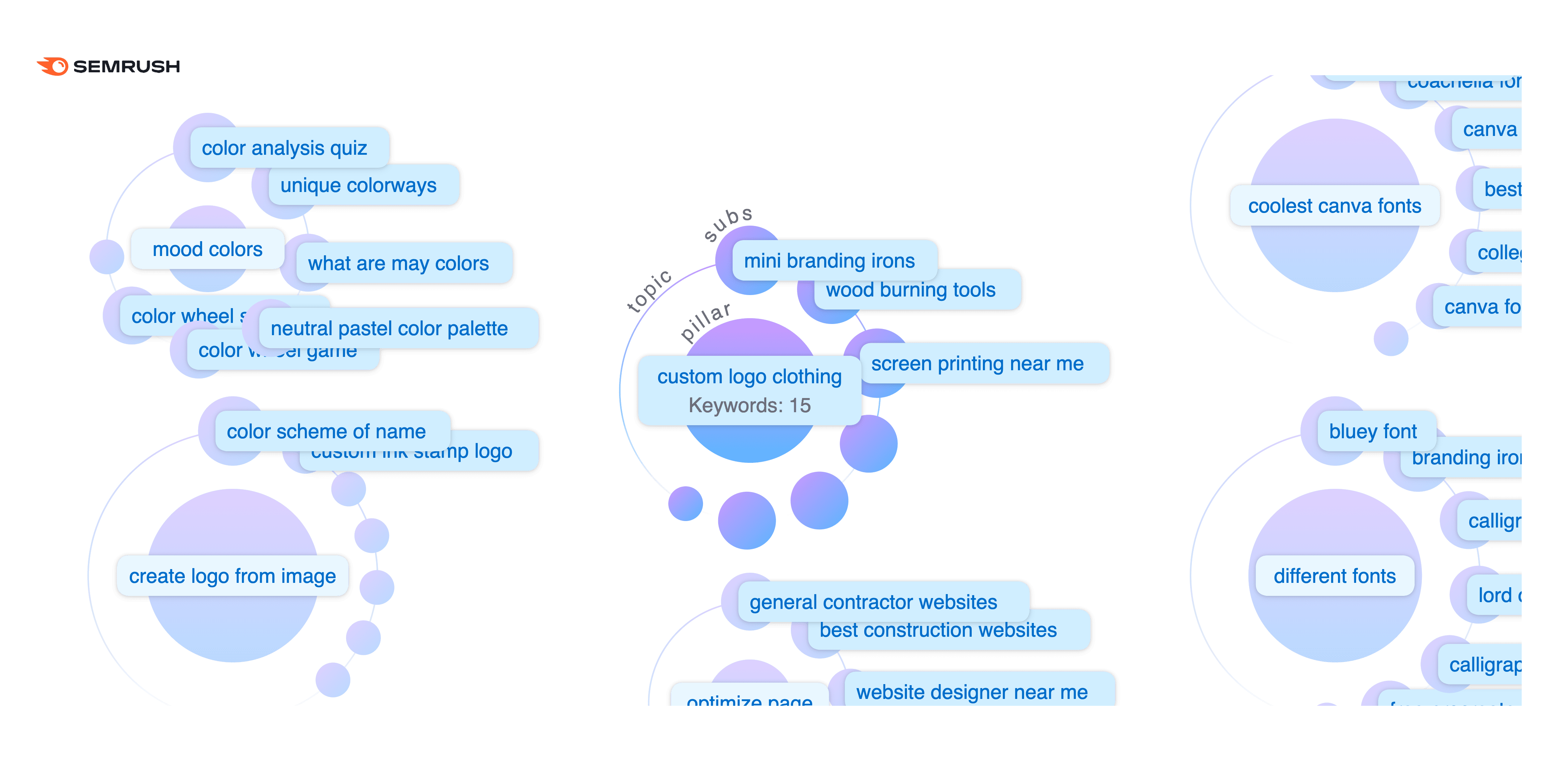
New! Semrush’s keyword strategy builder
I’m stoked to see Semrush’s new keyword strategy builder can do the heavy lifting for us.
Here’s an example of how the builder has grouped these thousands of keywords into relevant topic clusters.
Now, here’s my favourite part of the clustering feature. We get suggested Pillar page and Subpages with keywords assigned to them.
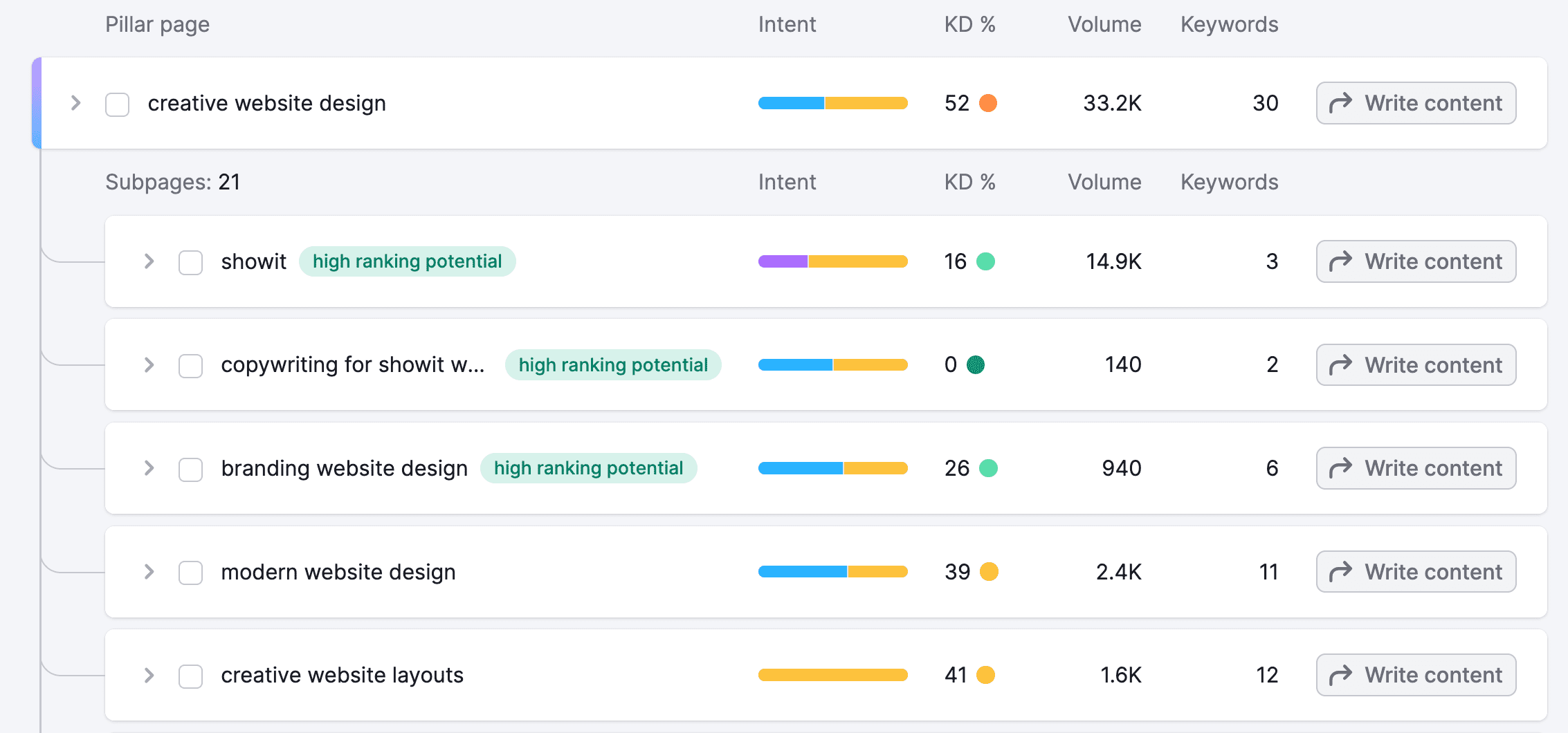
Now, you know exactly what pages to create and which keywords to target per page. The pillar and subpages create the internal linking structure on your website.
In my honest opinion, THIS is a serious gamechanger. The keyword strategy builder and clustering feature here not only saves you weeks to do this analysis, it can also replace other tools with competing functionality.
4. Local SEO
The next important step in search engine optimization for a small business owner is local SEO.
You need to know how your business ranks in the local results first to make the right decisions about how to optimize your local SEO strategy.
For example, we were working with a local business in Sydney, Australia and wanted to track how they were doing for city-level keywords in Google maps.
Google search console is useful only for tracking organic mobile/desktop search results, but it can’t show us our rankings in the local maps.
You can only see that by manually searching for your local keyword and checking the Google map result.
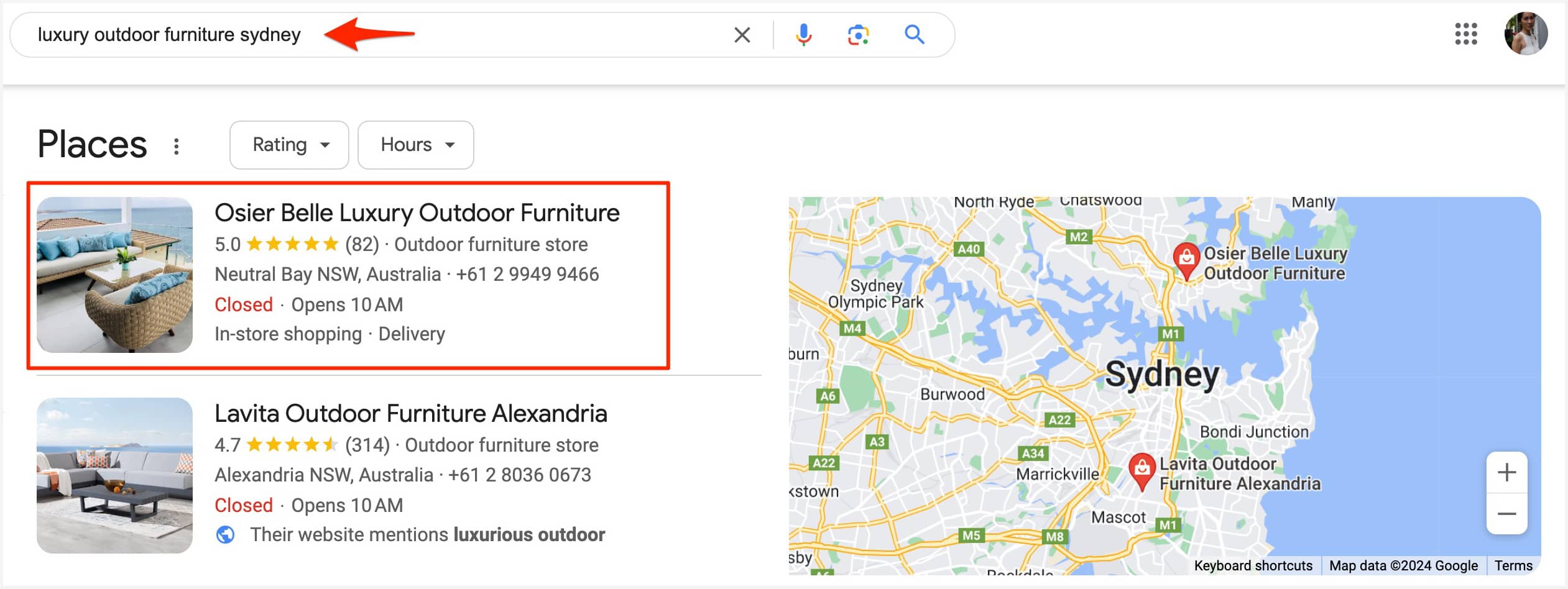
To manage your rankings accurately, you need a local rank tracking tool.
Local rankings in Google Maps
Semrush’s Map Rank Tracker helps you track how well your business shows up in the local area you’re targeting. You can also see where your competitors rank and how well you’re doing against them.
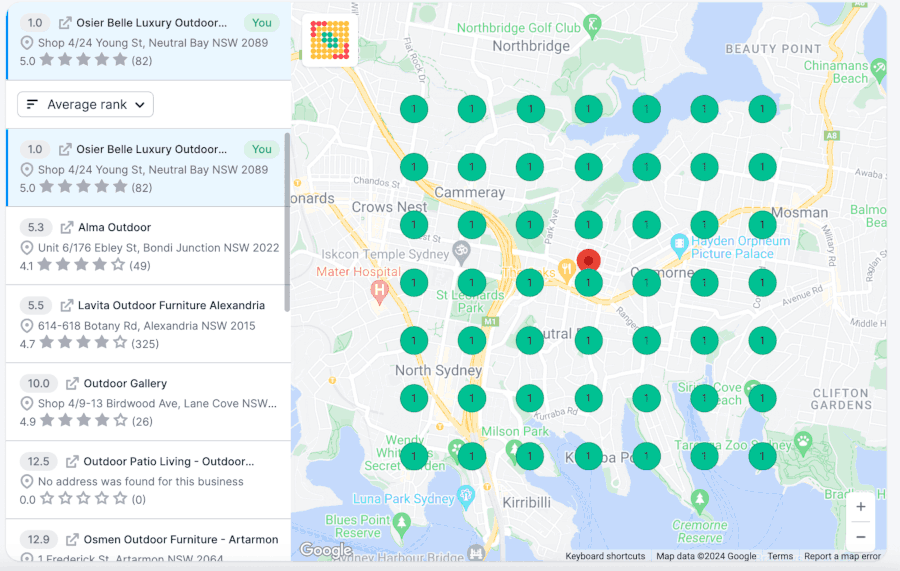 Semrush Local map grid for our coaching client
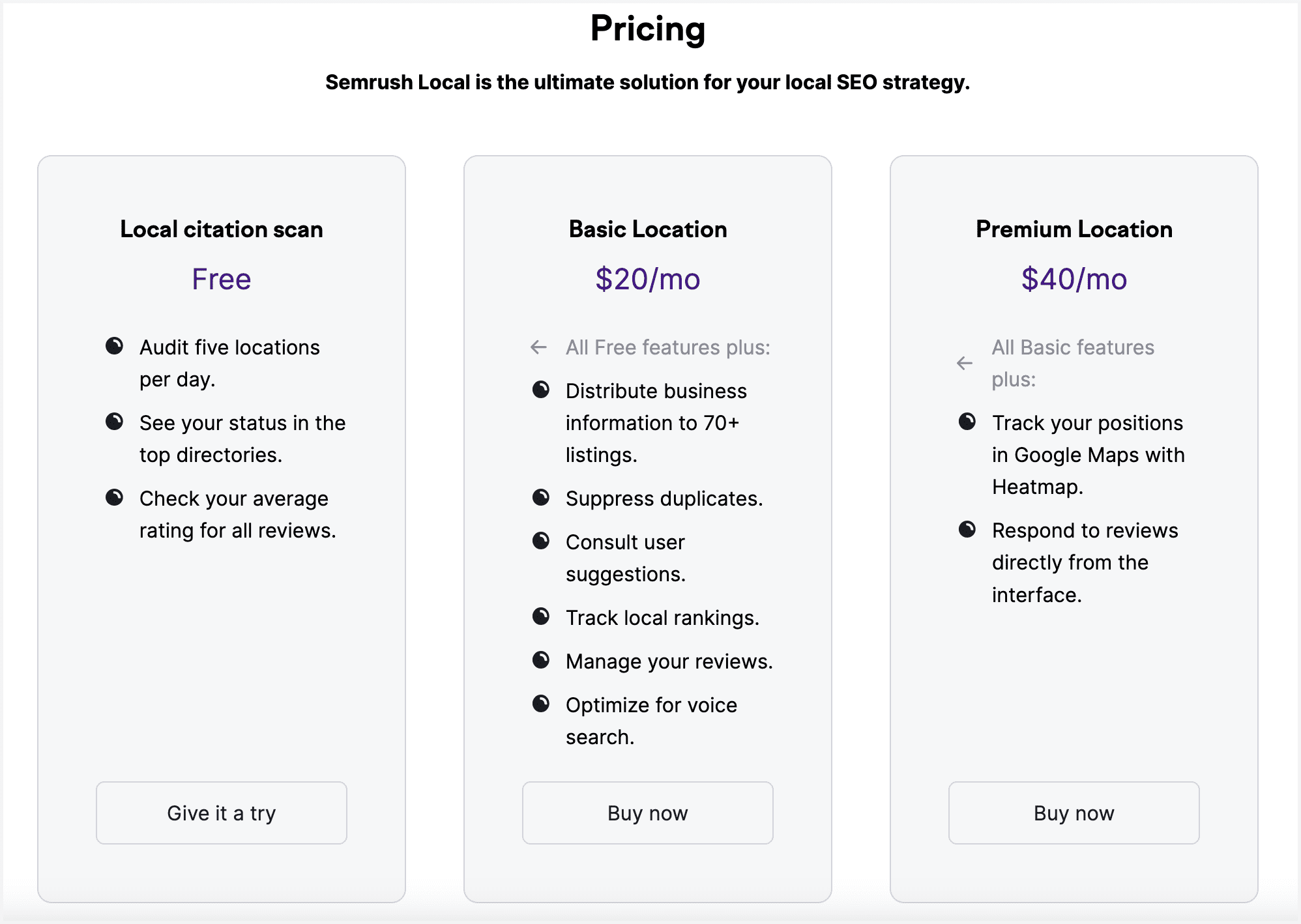
I found out recently that you can purchase Semrush Local as a standalone solution.
So if you want to just focus on local SEO, you can buy their Basic Plan at $20/month to start tracking your local rankings and optimize your listing.
If you are a small business owner, you can definitely manage your local SEO strategy. You just need to know what to do.
Here are the most important tasks to improve the visibility of your business for local search:
- local keyword rank tracking
- audit your Google business profile
- audit, distribute and manage citation listings
- manage user reviews
Semrush Local can take care of that for you for just $20/month!
5. On-Page SEO
In my role as an SEO coach, I cannot overstate the necessity for a robust, dependable tool that can scrutinize on-page SEO factors for my website and those of my clients.
On-Page SEO is about improving the content, HTML elements on the page such as page title tags, meta descriptions, internal links and external links. The goal is to optimize your web pages in order to rank better on search engines.
In my honest opinion, the On-Page SEO Checker offered by Semrush does a pretty good job with analyzing basic and technical SEO issues.
It can quickly and precisely evaluate a website’s individual pages and blog posts for important on page and technical factors.
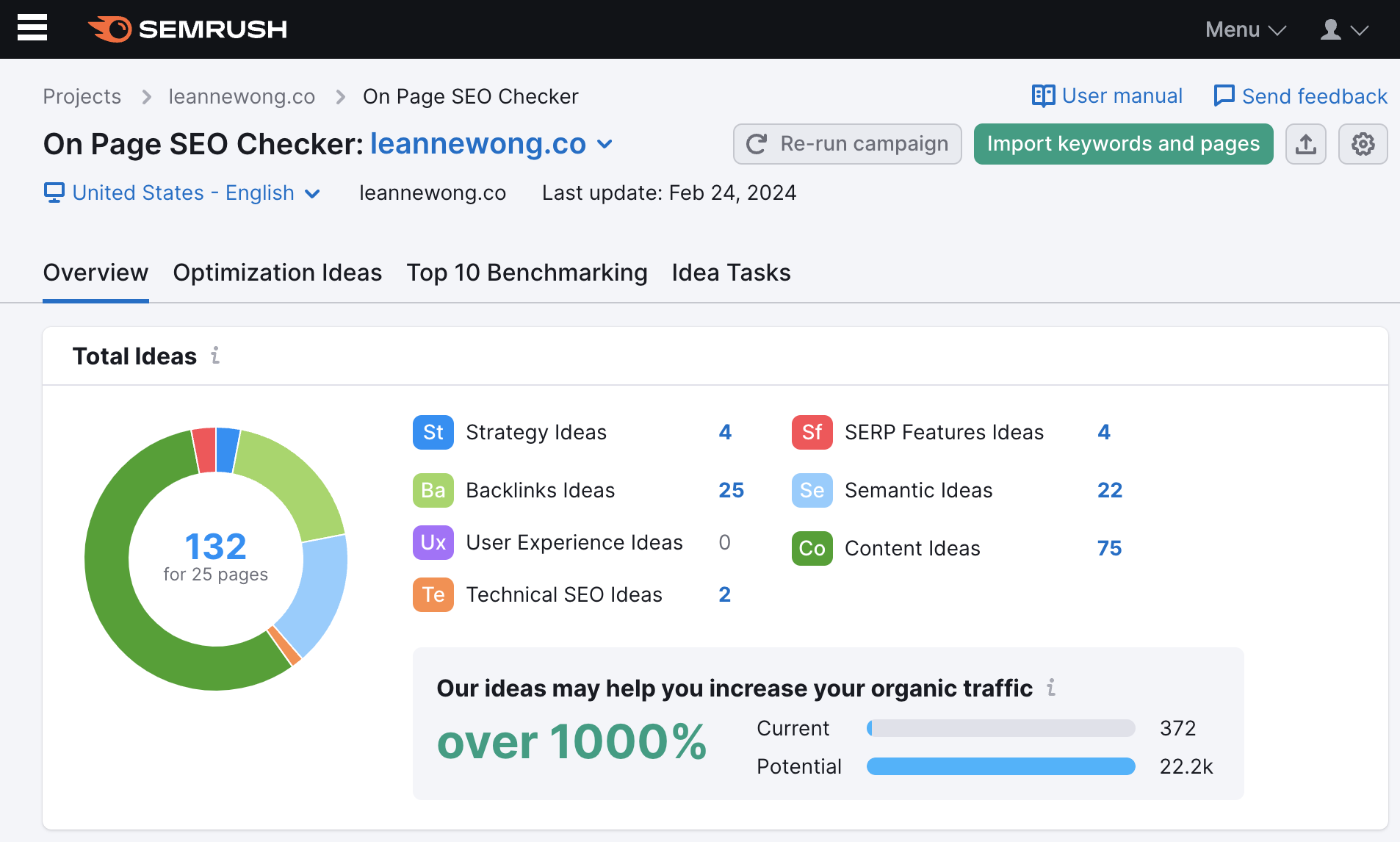
I like that Semrush doesn’t merely skim the surface with simple ‘metadata’ recommendations. Instead, we get quite a comprehensive analysis of on page factors across seven critical categories.
- Strategy Ideas: It identifies the best-performing pages on your website and suggests optimizations for on-page SEO for specific target keywords.
- Backlink Ideas: It helps discover new sources for link building to strengthen search rankings by building backlinks from highly-trusted websites.
- Technical SEO Ideas: It points out technical issues affecting your site’s search positions by integrating data from SEMrush’s Site Audit tool.
- Semantic Ideas: It suggests ways to enrich your content with more keywords and topics related to your main target keyword, improving its helpfulness and potentially its rankings.
- Content Ideas: The tool analyzes your top competitors’ content on Google and guides you on how to enhance your content to outperform them.
- User Experience Ideas: It provides insights into how your web page is perceived by the audience, using data from Google Analytics to highlight areas for improvement in UX.
- SERP Features Ideas: It advises on how to get your website featured in Google’s SERP features by analyzing data from your top competitors and the keywords triggering SERP features.
How to use
To use the On-Page SEO Checker, you just need to enter your landing pages and keywords and set up the crawler, and Semrush will start the analysis and do the heavy lifting for you.
If you’ve ever worked with an SEO agency or freelancer, you might have gotten a beautiful SEO audit report that looked something like this. You might even remember paying $$$ for it.
Why not pay a fraction of the cost on the tool subscription, and audit your own website’s on-page SEO yourself!
How it works
The On-Page SEO Checker uses data from SEMrush and Google to provide actionable insights to improve your Google rankings by comparing your page with the top 10 real-time organic competitors for each target keyword.
Most useful features from on-page SEO checker
In my opinion, the most notable features from Semrush’s on-page SEO checker are the content ideas, semantic ideas, and technical issues. The detailed reports from these sections are more easily actionable.
Content ideas
The content ideas section looks for key on page SEO opportunities like:
- content readability
- content length
- does your page title match the title displayed in SERPs
- does your meta description match the meta description displayed in SERPs
- keyword targeting in the body content, h1 tag, meta description tag, title tag
- keyword stuffing
- video content
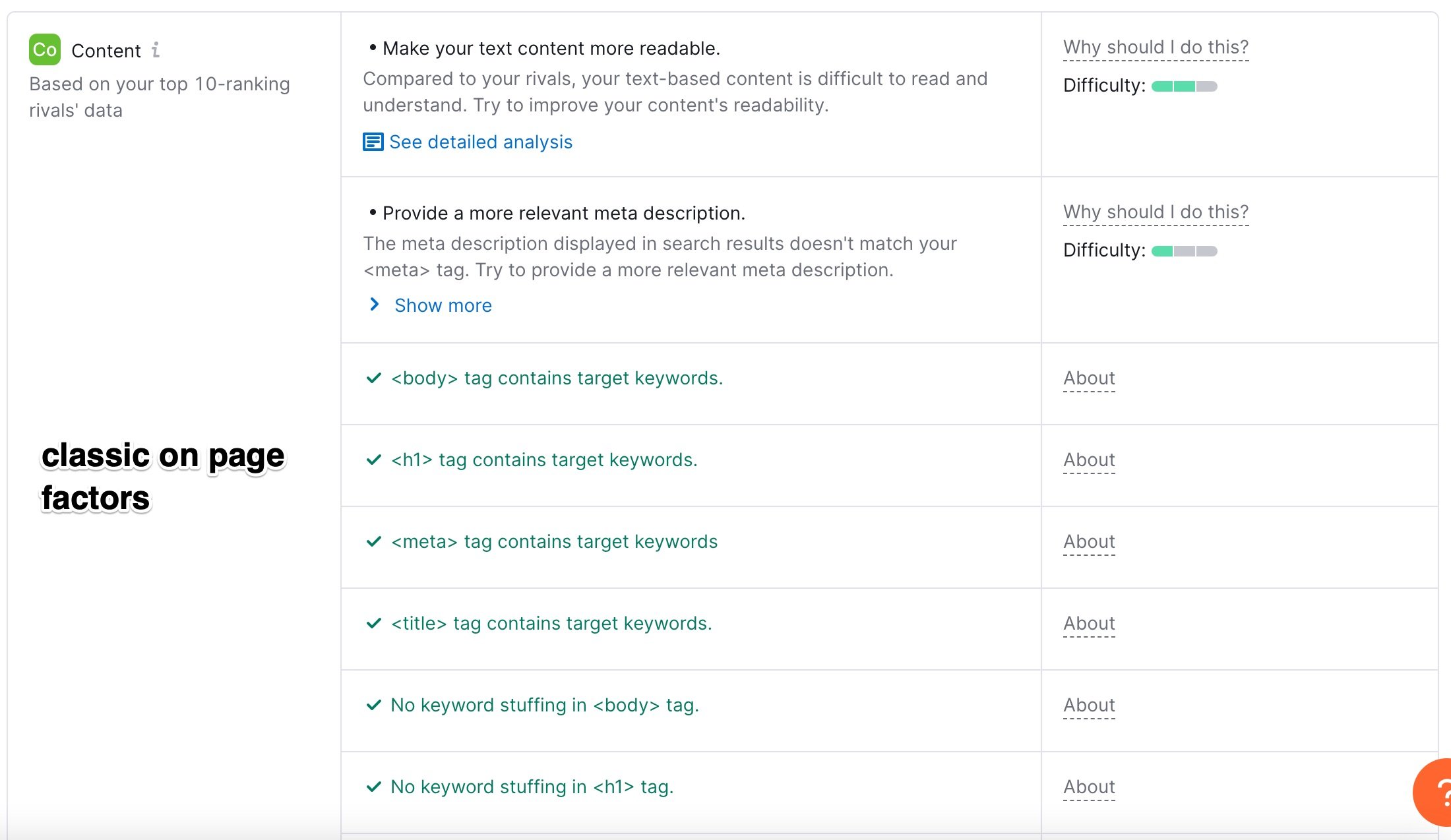
I think this is pretty decent at helping us check for basic content and on-page optimization.
If we see that a page’s H1 tag does not contain target keywords, that issue would immediately show up here and we can fix it instantly by using keywords in the h1 tag. Pretty straightforward and actionable.
Semantic ideas
The semantic ideas from Semrush shows you the top 20 words and phrases used by competitors ranking on the first page for your target keyword.
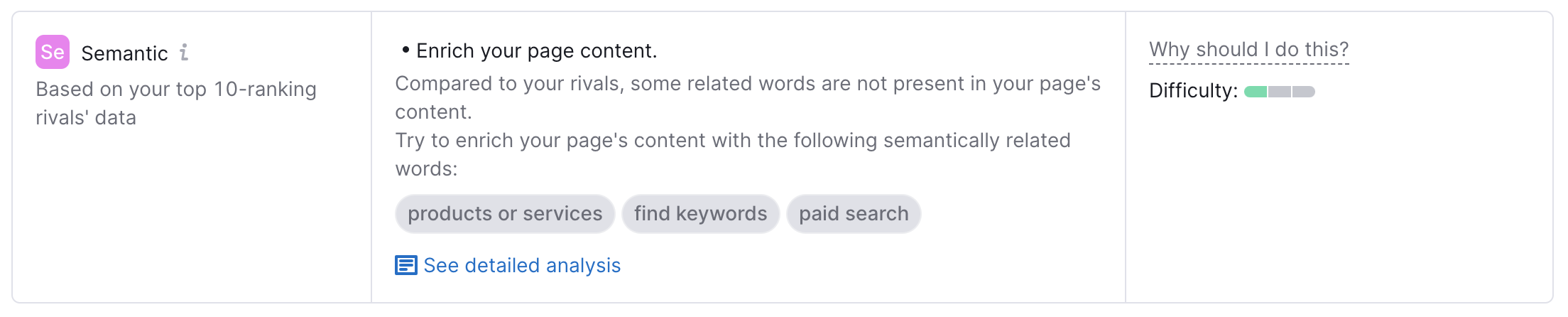
This is useful to enrich your body content with relevant word phrases and topics. We can quickly give your content a keyword boost for relevance. You get 20 related keywords that you can use immediately in your page content to enrich it.
Isn’t this super actionable?
My only gripe with it is that we only get 20 semantic words. That just pales in comparison to other content optimization tools that can provide hundreds of semantic keyword ideas to enrich content.
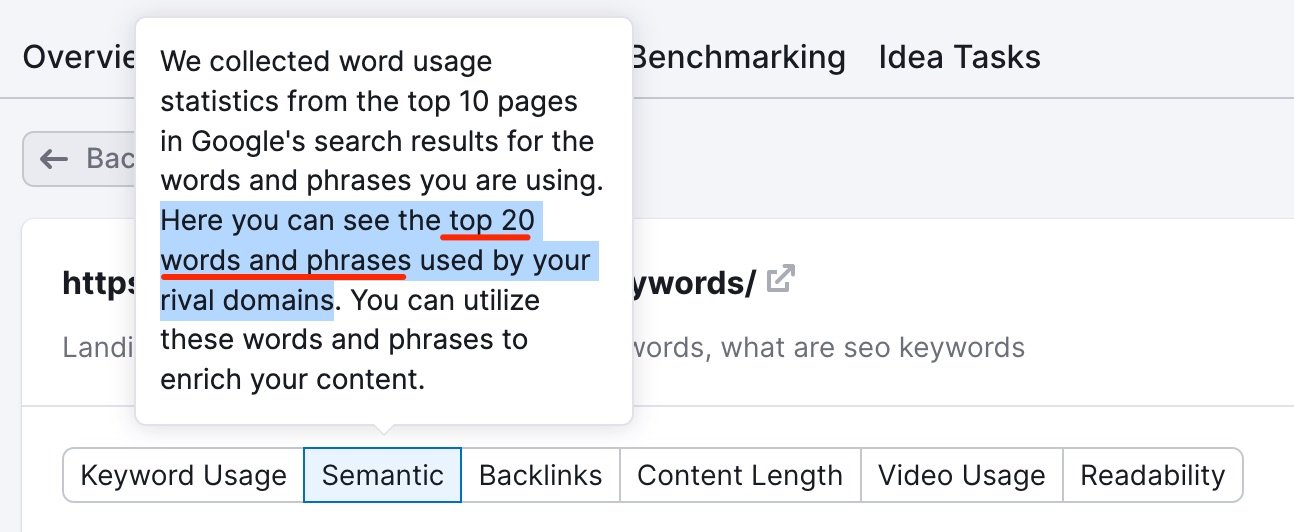
Another key feature of the Semantic report from the on-page SEO checker is that we can compare how often the word phrase is used in YOUR body content and your top 10 competitors.
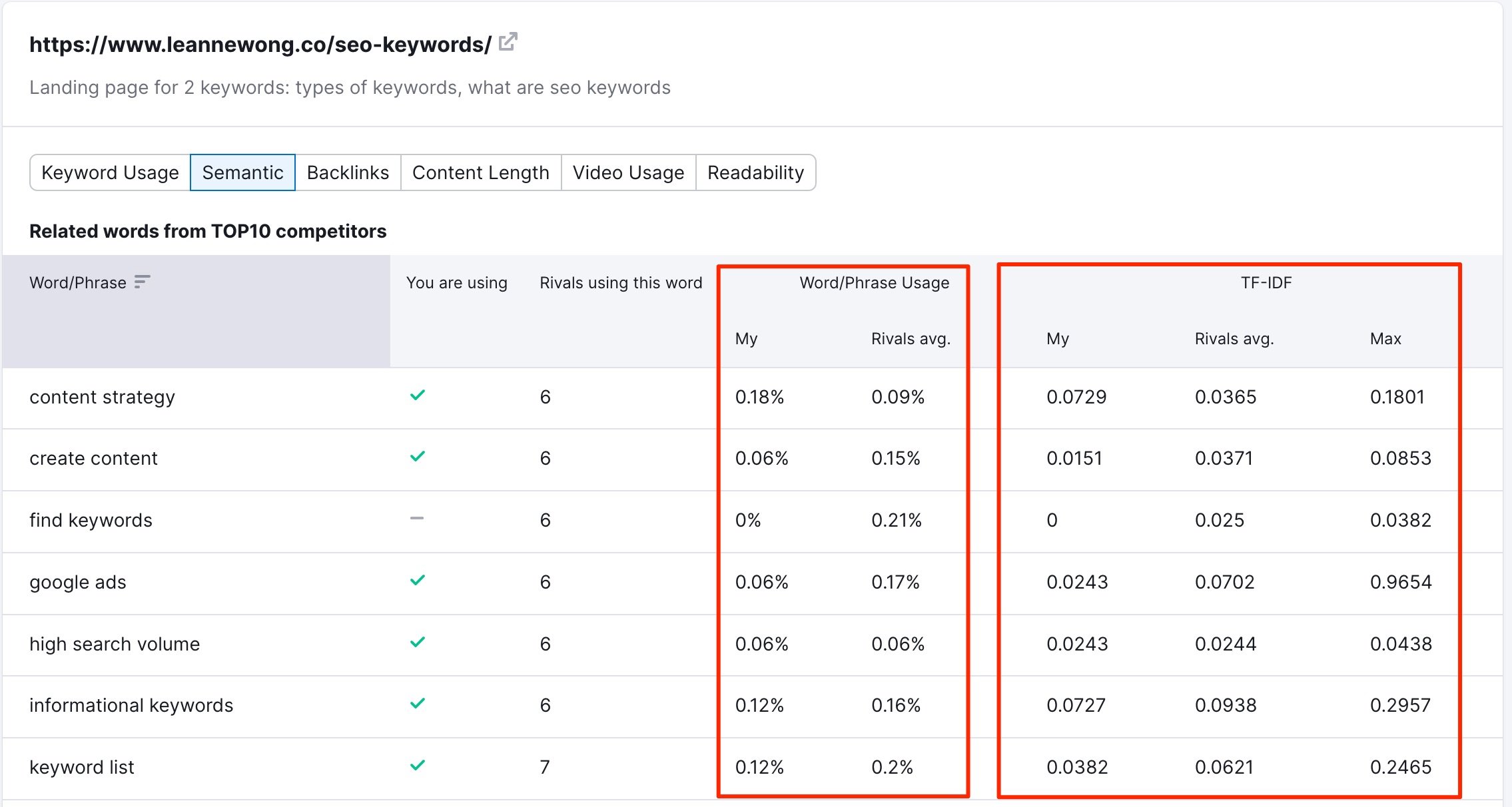
For example, for the related keyword, “create content’, it is used 0.15% times in my competitors’ content. But I have only used it 0.06% for my blog post.
This analysis immediately tells me my page content has under-utilised this word phrase compared to my top competitors. I can now use this data to spruce up my related keyword usage and the exact frequency in my own blog post content.
Again, highly actionable.
6. Site audit
The final SEO task we’ll cover today is site auditing.
A site audit is necessary to analyze the site health of a website. Semrush’s site audit tool analyses over 140 on-page and technical SEO issues to check a website’s health.
From simple issues like duplicate content and broken links, to more complex issues like crawlability and indexation, AMP analysis and hreflang attribution implementation.
I like that the site audit report organises the issues by Errors, Warnings and Notices. So we know which technical SEO issues are critical and need to be fixed and the ones that are less urgent.
Check out the full list of issues that are analyzed here.
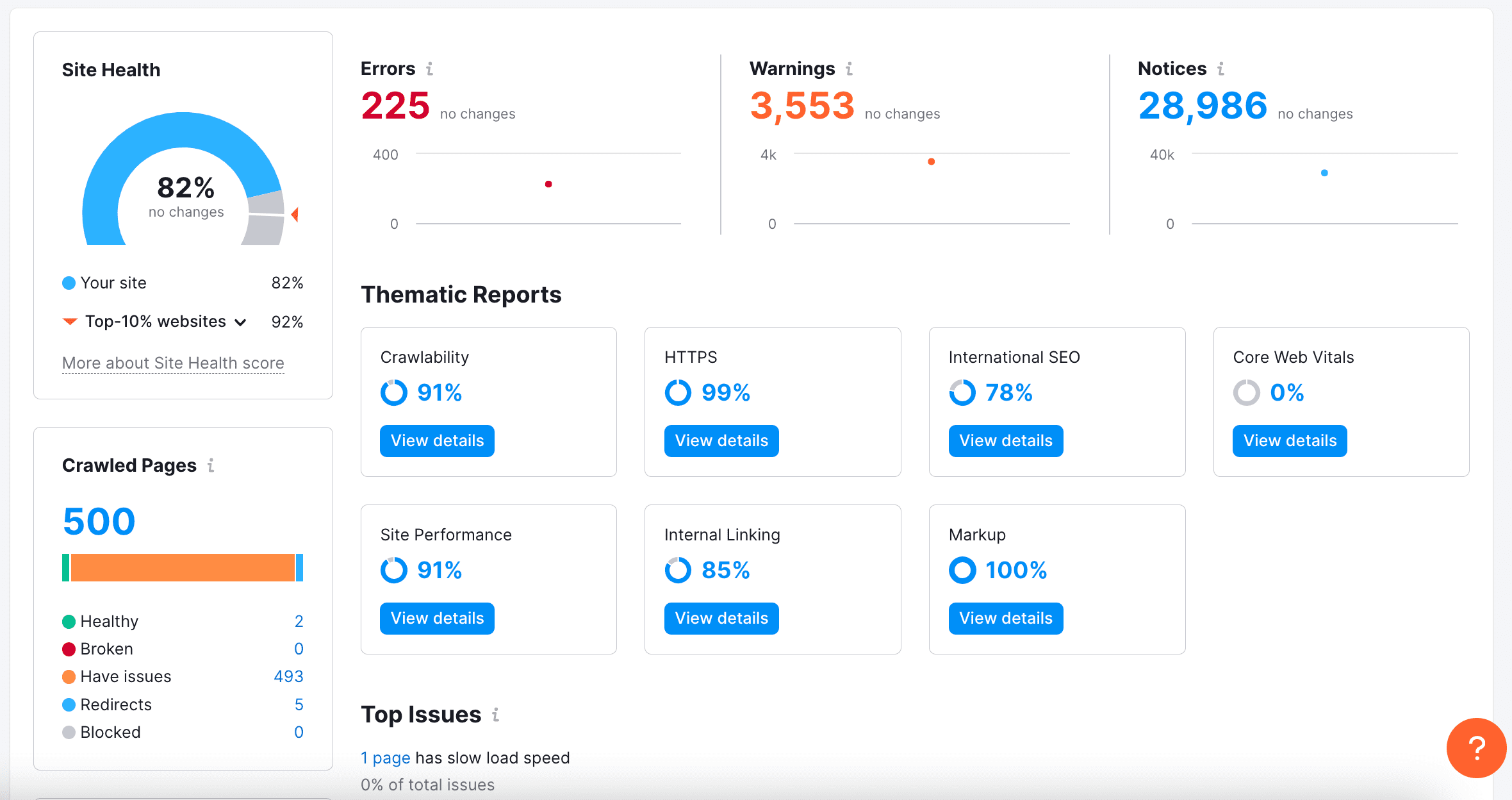
With a paid subscription, the Site Audit tool can crawl up to 20,000 pages per audit. This is sufficient for most small to medium sized websites.
Issues
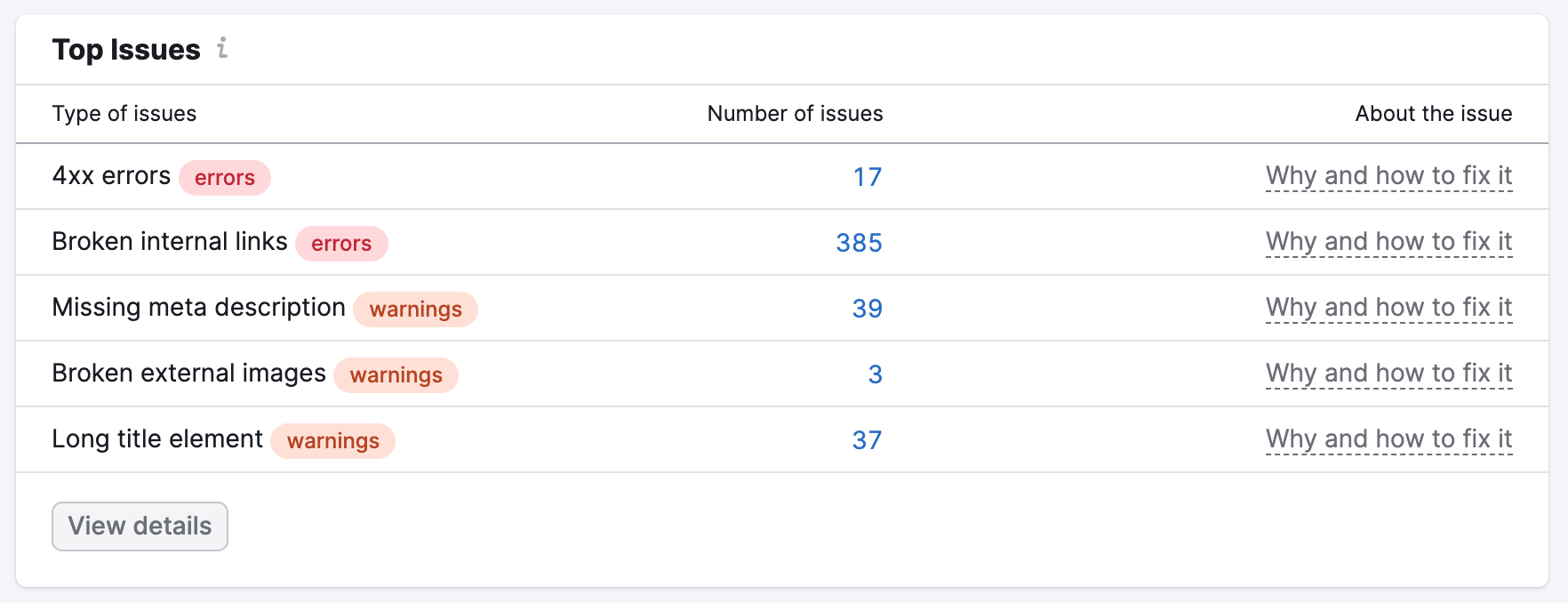
We can see the most important issues affecting a website’s health, the number of issues found and how to fix it.
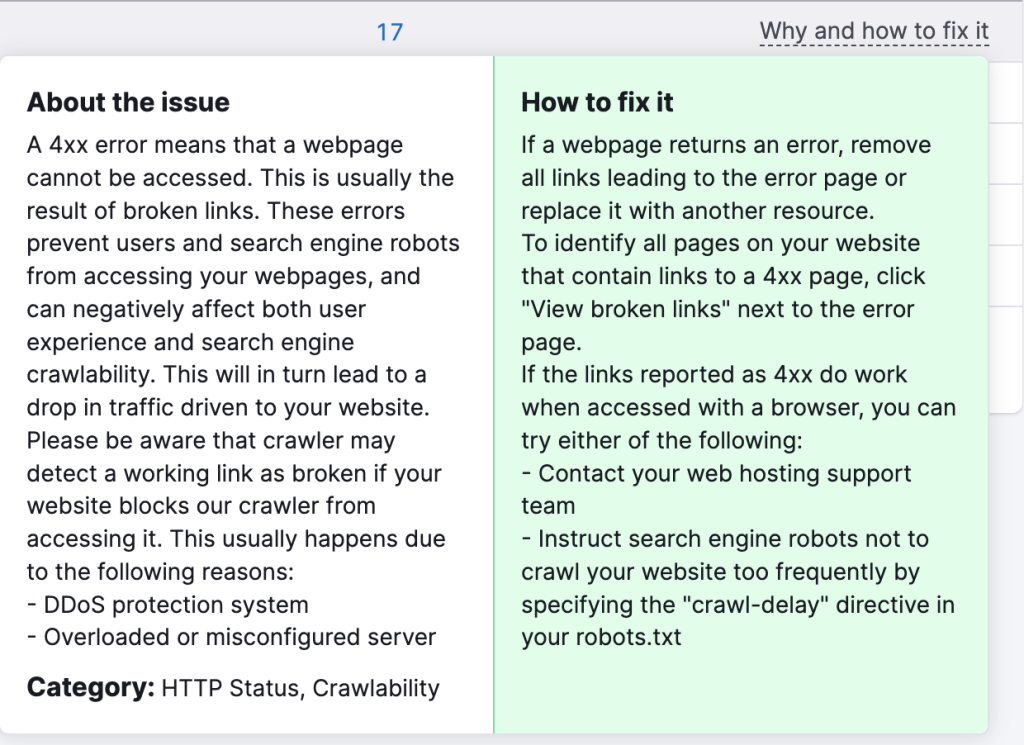
Issue explanation and how to fix
I think this aspect of the Site Audit report is really helpful. So it’s not like you get a beautiful crawl report and are left to your own devices to interpret the issue.
You get detailed explanations of WHY this issue is a problem for site hygiene and SEO, and clear steps to resolve it.
Progress chart
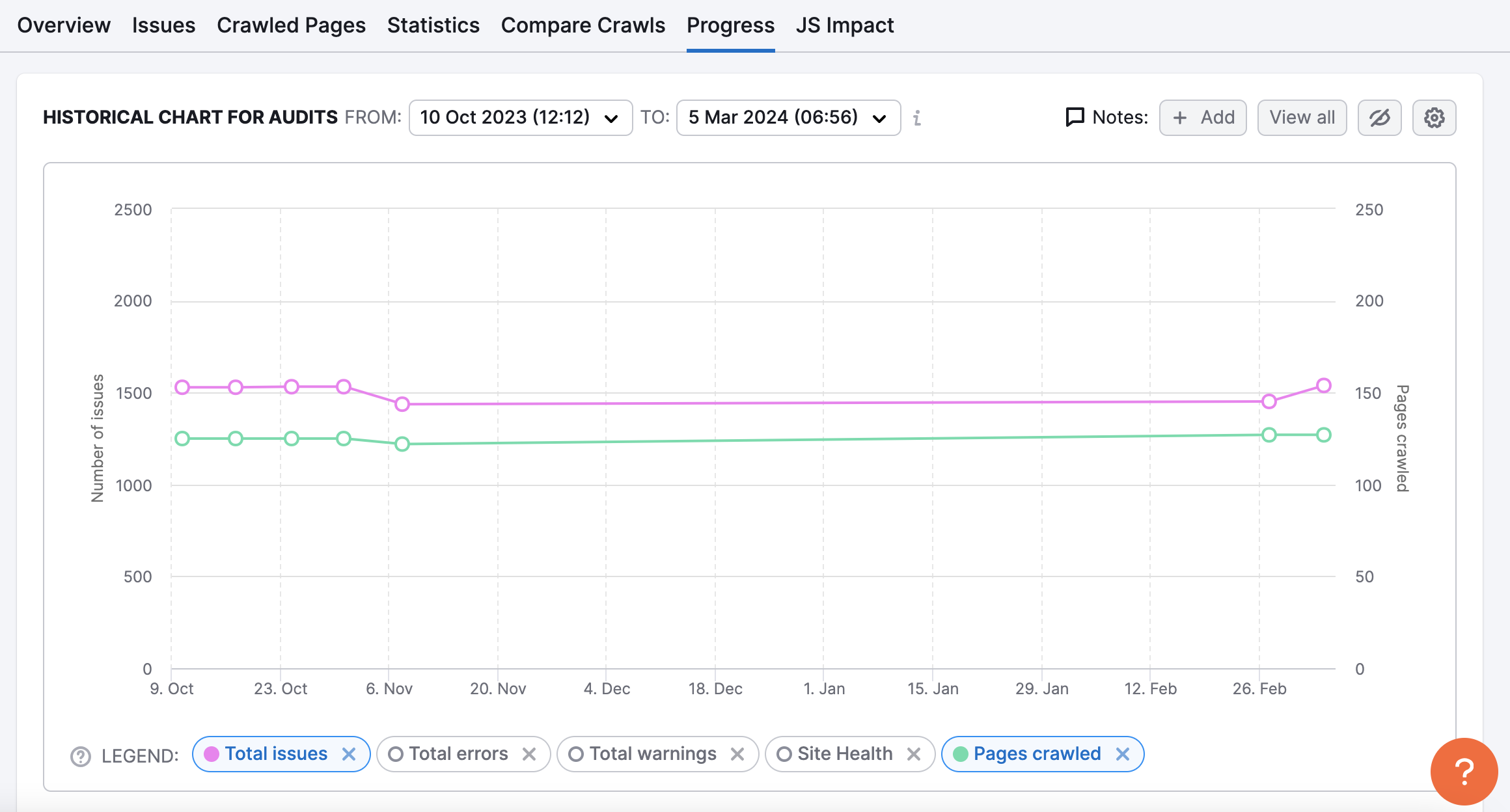
Another feature I appreciate in Semrush’s site audit tool is the ability to monitor the progress of your website’s health over time. The graph is interactive so we can choose specific metrics and date periods to compare.
We can follow the issues, errors and warnings on your website that have been fixed or if new issues have appeared over time.
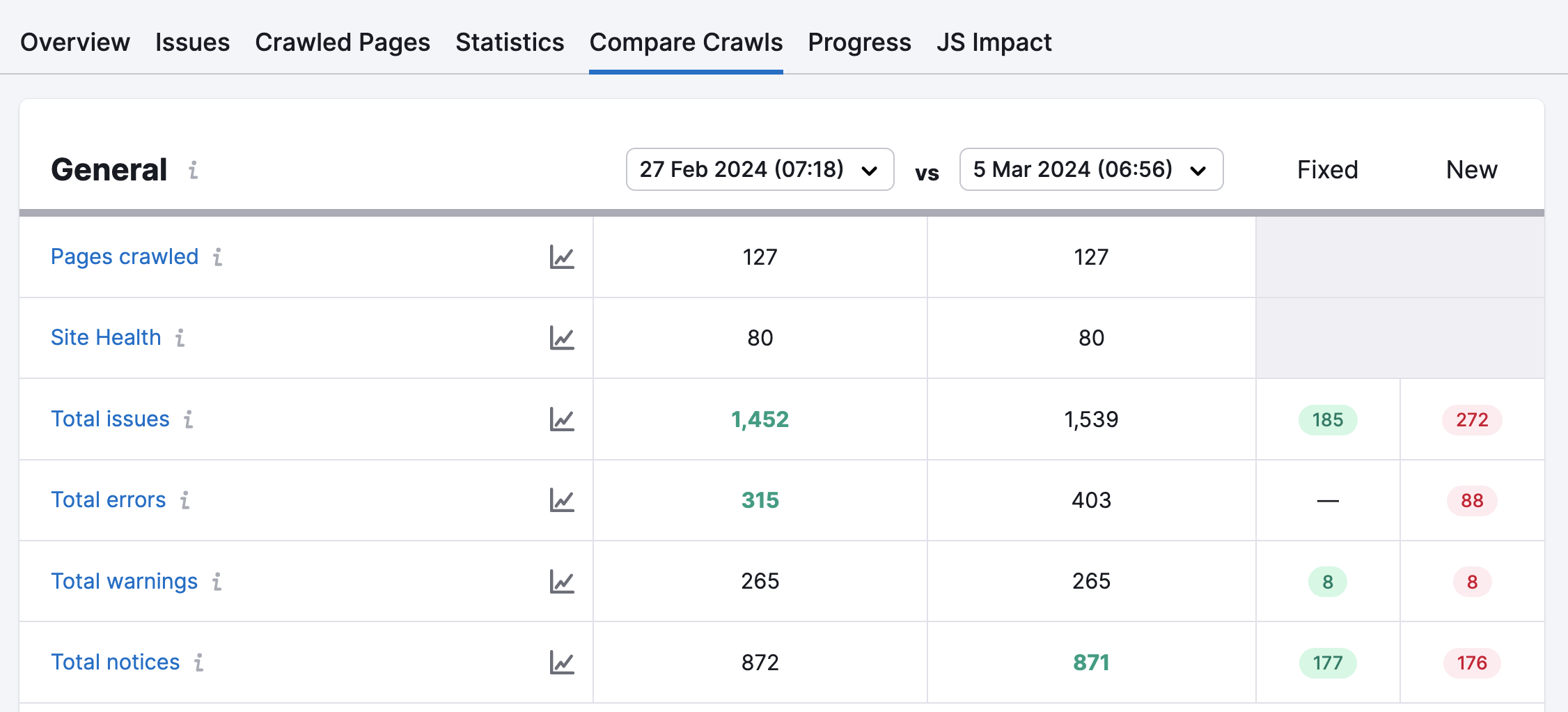
Compare crawls
The compare crawls report is also quite useful to see past audits side by side. We can see how the issues, errors and warnings have changed over time. Compare both audits and see which issues have been fixed.
To go further with SEO auditing, download my 94-point SEO audit checklist below!

Why SEO still matters
Yes, 2024 was turbulent for SEO. Google algorithm leaks, updates, AI overviews and blogging for passive income becoming an existential crisis.
But for small business owners, you are NOT blogging for a living.
And for us, traffic from search engines is actually the most sustainable way to reach our target audience.
Because organic rankings on Google are long-term.
Unlike paid ads where traffic stops once you stop spending, organic traffic is consistent. Visitors continue to find you from the search results pages.
Another reason I favour search traffic is that we are attracting high-intent users. Searchers who are actively looking for your products, services and content. So you’re attracting users who are already interested in your topic.
Of course, this only works if your website is optimized for keywords, so you can show up high on the search results.
Search engine optimization in 2024 is a messy jungle to navigate.
You need to optimize your website, find profitable keywords, build authority and create content that ranks. All while keeping up with the latest Google algorithm updates and best practices.
When your customers say they found you on search engines
It may be cliche to say this, but all the work you do for SEO becomes so so worth it when your customer says, “I found you on Google”.
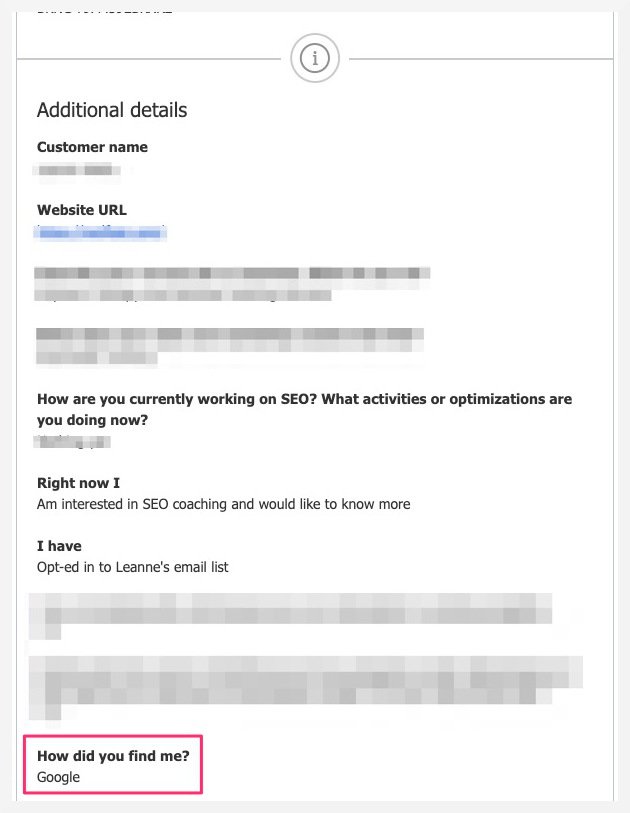
Why? Because the cost of acquisition for this customer was zero.
This person was thinking of hiring an SEO coach, googl-ed it, found me and clicked through to my website then decided to book a consultation call!
Just like that. Within a single session, from organic search to conversion.
Call this inbound marketing, ‘pull not push’ marketing, whatever. I call it showing up when your audience are looking for help, looking for YOU.
With SEO in place, you can rely on long-term organic rankings to bring you new visitors and potential customers consistently.
- No need to post reels everyday if you don’t want to live on social.
- No need to dance on TikTok if you don’t feel like it.
- No need to rely on Google Ads if ad costs are higher than you would like.
For small business owners, this is something that can protect your biz in every season.




7 people reacted on this
I need to up my game but haven’t considered using the Semrush tool before. Good SEO is very important and something those with a site needs to consider.
Shemrush is amazing for SEO. I used this program when I first started my blog, but didn’t have any traffic. It wasn’t what I needed then. I should revisit! Thanks for the review.
I’ve used SEM Rush in the past and it’s such a useful tool! SEO is absolutely possible to do on your own, as long as you know what to look for and how to execute properly. 🙂
I’ve tried a few different SEO programs before, but haven’t looked into SEMRush yet. It looks like it has a lot of great features, though, and may be worth investing in soon for my business.
I’ve thought about doing SEO by myself but it’s a lot. I do feel investing in Semrush might be my best bet especially at that price point. I’m a little familiar with SEO but not that much. That’s a great deal, under $200 a month.
This is the best thing ever! I’ve been needing to up my SEO game, but it’s been so expensive. Thanks for the heads up on this.
Great post! SEMrush is such a useful tool for improving personal SEO. I love how it helps find the best keywords and shows what’s working for others in my niche.