

To understand how to speed up your website, we have to understand how page loading works first.
A page loads in the browser. Browsers are Google Chrome, Safari, and Firefox.
To load your page, users have to visit your page URL on their browser.
Here is a simple illustration of how page loading works:

How does page content load?
When someone types your website URL on their browser, they land on your website.
Their browser sends a request to your server that hosts your website content.
The server responds back with the generated content.
So page loading is very much how browsers and servers work, and the weight of your website content.
The slower your server responds, the longer your page will take to load. And the more content you have on your website, the more time will be needed to load its contents. Learn how fast your website should load.
If your website has a heavy page size such as big images, and if your web hosting is inadequate and your server response time is slow, your page will take a longer time to load.
The longer your page contents take to load, the longer it takes for your users to see visible content on your page and interact with it.
This then affects user experience, how users engage and convert on your website.
Browser, server, and website content
There is a lot more that goes on behind the scenes to load a page. But the 3 main players are – (i) the browser, (ii) server and (iii) website content.
That is where site speed optimization comes in. We are essentially optimizing for the browser, server and our website content so it can load faster.
Browser caching
One of the most foundational web performance techniques is browser caching.
Browser caching stores data and files on people’s browsers, so people who have visited your website before can see your page contents sooner. Because some of that page content has already been cached and stored.
Types of files should be cached:
- Images files
- PDF files
- Media files
- Static resources
Static resources include CSS, JavaScript, and other scripts that do not change frequently.
Browser caching is a simple and effective way to speed up your website load time. Most websites today are built with modern content management systems (CMS) that can support browser caching with a simple plugin.
Server response time
The server response time is the time needed for the server to respond to user requests. A slow server is almost always the leading cause of slow site speed.
A slow server is a common cause of longer page load time, as it takes longer for the browser to receive documents to load on the page.
Time to First Byte is the metric for server response time.
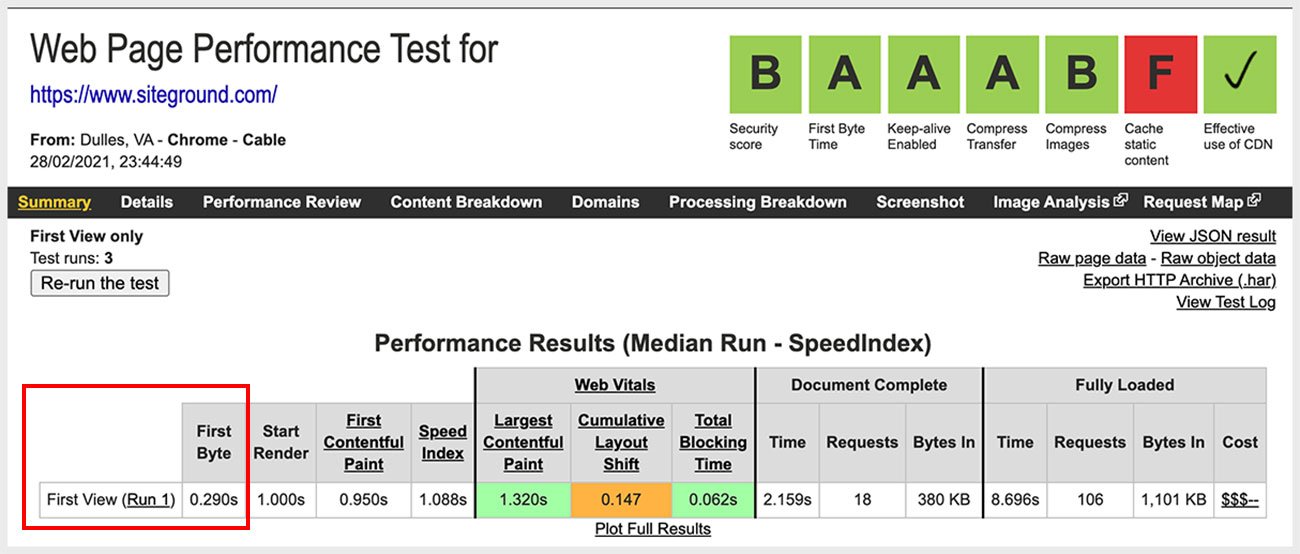
So picking a good web host is very important. You want to choose a reliable and fast server that can respond within a few hundred milliseconds.
A good TTFB is under 600 milliseconds. Check your server response time with the Webpage Test Tool and look for the First Byte timing.
Page size
Page size is essentially the weight of a page. The bigger the page size, the heavier the page and the more time will be required for your page to load.
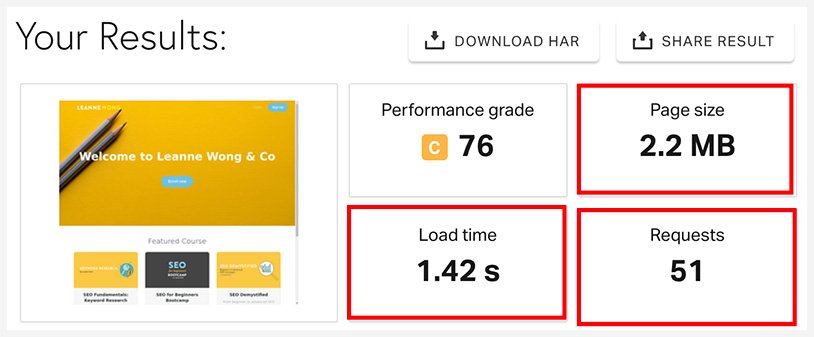
This is usually caused by two factors:
- Number of resources
- Weight of each resource
The number of resources on your page greatly affects load time. The more resources (HTML, CSS, Images, Javascript), the more requests need to be made.
Every resource on a page needs a HTTP request. Every image, css, html, javascript that needs to be loaded on your page, will require a request.
So every additional plugin and image you add to your website will increase the number of requests to be made to the server, thus, adding on to the load time.
So optimizing your website’s content such as theme, content, plugins and scripts, will have a significant impact on your page size.
Second, the weight of each resource.
The bigger the file size of a resource, the longer it takes for it to load. Images tend to be the heaviest resources on a page as they are big files.
So image optimization and compression are super important when it comes to site speed. They are your low-hanging fruits because they are very easy to fix and have a big impact on site speed.
In a Nutshell
So there you have it! In a nutshell, this is how page loading works. Remember the 3 factors that have a big role in site speed – the browser, server and your website content.
Improving site speed starts with optimizing for these 3 factors.
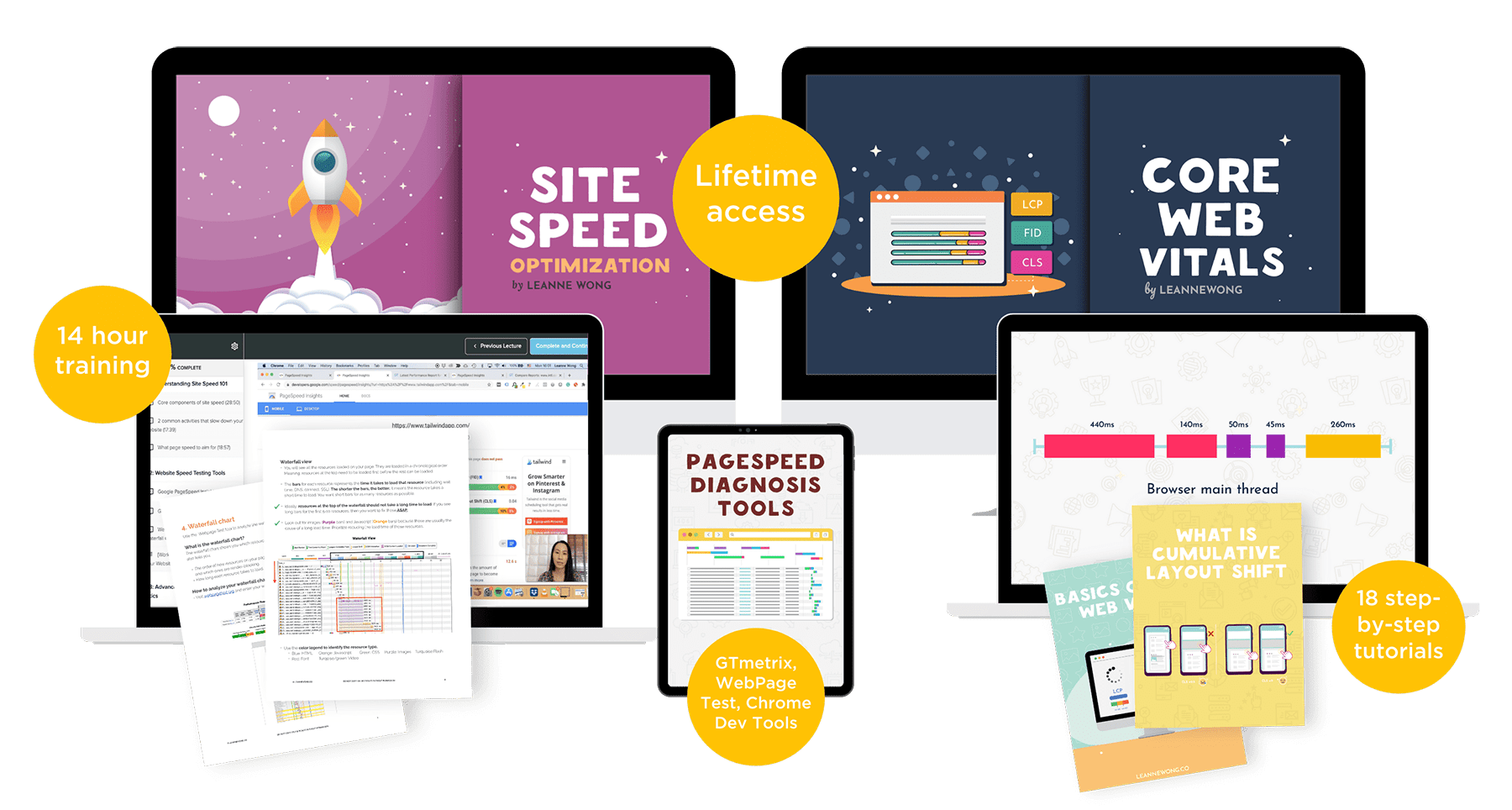
Enroll in the Site Speed Optimization Course Bundle
Want to understand the fundamentals of site speed optimization and bottlenecks in page loading? Learn exactly what you need to do for Google’s core web vitals update and achieve 90/100 on Google pagespeed insights.
Join the site speed optimization course bundle and learn to speed up your website without hiring a web developer.




27 people reacted on this
This is what I need right now. I have been working on my site’s speed lately.
Happy to help!!
Optimization of your website is the key! Faster loading means customer satisfaction. Better right than a slow one?
This is such useful information. There are so many parts to having a website and it is good to take a look at site loading times.
YES!
Getting back on blogging and I need to learn again. Agree with Ben. A friend just recently told me about how page loading affects our website readers’ experience and it really does affect our website too.
Page loading is a crucial part of user experience, afterall!
Years ago I ran an ad company for a short time. I got So many emails telling my site was loading slow. I knew I had to ditch the ad company and it cleared back up.
Pheww!! Seems like you made the right move.
Truly optimization is the key and I am on it for my website. Thanks for sharing all this great info, it is super helpful for me!
Cheers 🙂
The server is so key….it basically links everything together! If you are working with a slow one, you are toast! And that’s what I am lately, with my site. It’s getting slower and slower!
Oh no! You might want to consider upgrading or switching web host!
This is such a helpful and excellent post! I learned so much new information.
I’m so happy to hear that!
I am impatient. I hate website who are slow to load. SEO must be in every bloggers’ agenda.
Absolutely!
Excellent post – mine has sped up a lot since I switched to CDN servers. I also find certain page builders like Elementor very slow right now…
Using a CDN definitely helps!
One of my goals is to speed up my website. It’s been optimized for speed but my ad network is really causing a lot of drag.
That is often a bottleneck during page load ;(
I’ve always wondered about this! So much to learn. Thanks for the info!
You’re welcome 🙂
Page speed has been a ranking factor for a couple of years now. What’s more, each year, its importance to your site’s SERP positions is only growing higher.
Absolutely!!
EVERYONE needs to read this and really take it in. Page loading speed will make or break you online. Nobody has the patience to wait for a slow webpage.
Yes!