The business owners who consistently book clients through Google aren’t necessarily the ones with the biggest websites or the most blog posts. They’re the ones who know exactly which pages are working, what language their best clients use when they search, and how to keep improving both.
Here’s what I’ve found actually moves the needle: a simple three-step SEO fix, done in 20 minutes, that can actually bring more (and better) clients through search engines.
Step 1: Start with the keywords and pages already driving qualified traffic and leads
There are two things you’re looking for here, let me break them down.
Your money keywords
If there’s one keyword type that matters more than any other, it’s your money keywords. 💸
It’s completely okay if you’re not publishing blog posts every month or your site isn’t getting thousands of visitors from Google yet. If your website shows up on the first page of Google for your main money-search phrases, that will continue to drive organic bookings to your site.
Your money keyword is the main search term that directly leads to client bookings.
It usually looks like:
[service] + [location]
or
[service] for [specific audience]
These are the phrases people type into Google when they’re ready to hire, not just to browse.
Examples:
- wedding photographer DC
- brand photographer Chicago
- Showit website designer
- Squarespace web designer for coaches
If you’re a wedding photographer in DC, your money keywords will be:
- wedding photographer DC
- wedding photographer virginia
If you’re a Showit website designer, they might be:
- best Showit website designer
- Showit website designer for creatives
- Showit web designer UK
Phrases with a specific service and often a location. Phrases where the person searching already knows what they want and is looking for the right person to hire.
To do
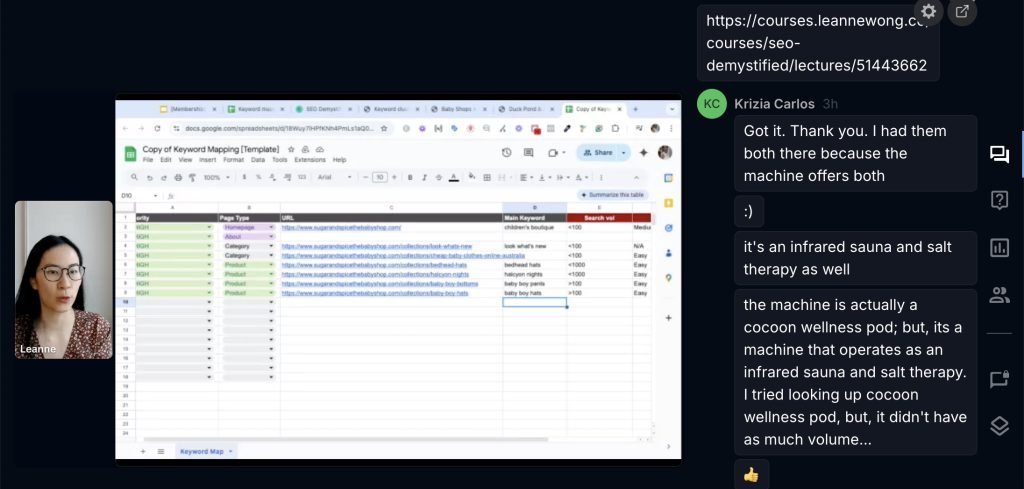
Identify these keywords and assign them to a specific page on your site — a page that’s built and optimized specifically to rank for that phrase. Usually, that would be your Homepage or Service page.
In Search Academy, we have this keyword mapping exercise where members map out their main keyword targets and assign a page positioned to rank. Each month, we review them live in office hours!
Converting pages
The second thing you’re looking for is in Google Analytics. Specifically, the landing page report filtered against your thank-you page or conversion event. This shows you which pages people actually landed on right before they converted. Before they filled out your contact form. Before they booked a call.
If you have custom conversion events set up, or key events, you can see those conversion events in your Google Analytics reports.
Google Analytics > Pages and screens
In the Pages and screens report, choose the Page path and screen class dimension and select your thank you page URL.
Then, add a secondary dimension in the next column and search for Landing page + query string. This will show you the landing pages people landed on which led to the thank you page event.
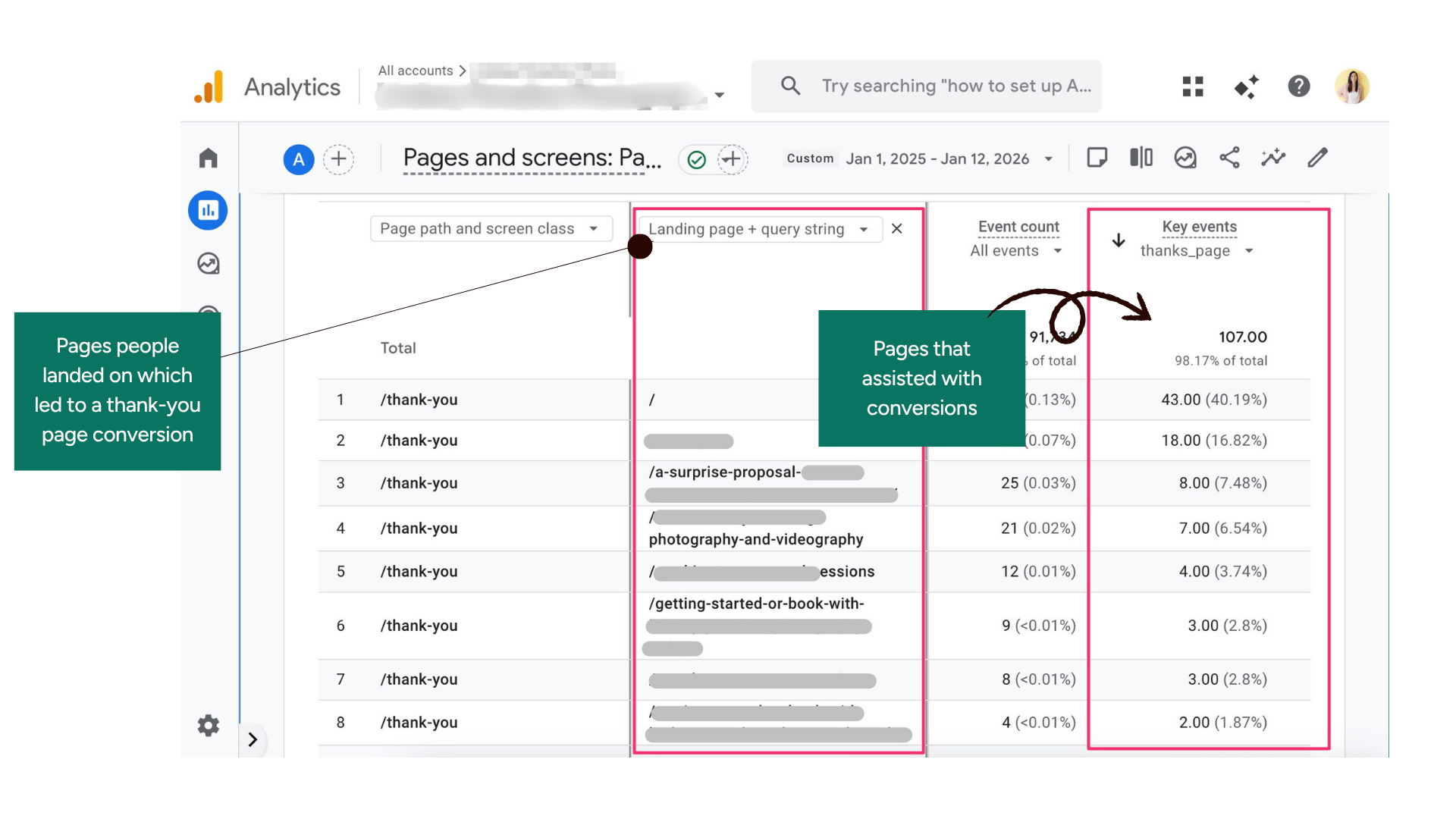 These pages are not just getting traffic — they’re getting the right traffic, and that traffic is turning into real leads. That makes them your highest-priority pages to protect, strengthen, and learn from.
The pages in this report tell you what content actually led to someone reaching out. What topics resonated. What language connected. What information someone needed before they felt ready to book. That’s your blueprint for what content topics to create more of!
This is something we often brainstorm together in Search Academy. Figuring out your keyword targets and conversion pages can be the most impactful step in your SEO success. If you’re looking for quality SEO education and group coaching support, come join us.
To do
Use the Pages and screens report in Google Analytics and identify content pages that led to conversion events on your website. Once you know what content topics resonated with your audience, strengthen those pages and create new blog posts in that category.
Step 2: Study your customer conversations for the words they actually use and use that in your website copy
Find the real language your clients use when they’re ready to hire.
- Contact form messages. For example, in the “describe your project” field, which will contain your customer’s language and what they are looking for.
- Email threads with new clients before work begins. People are often most honest about their challenges and problems in those early stages. I have a client agenda questionnaire to onboard our new clients, which helps to understand where they are currently and what they need help with.
- Discovery call notes. Specifically, how potential clients describe their situation, frustrations, and pain points. You get a lot of primary data and context in these calls.
- Reviews and testimonials. These should contain the results and the transformation your clients experienced after working with you.
Scan these and look for patterns. Which problems keep coming up? What specific words do people use? How do they describe the services they are looking for, and what do they need help with?
Incorporate that language in your website copy.
For example, I used to have tons of SEO technical terms on my service pages like “performance audit”, “strategic framework”, “content strategy” all over my site.
While clients kept reaching out asking for help with situation-specific language like “my rankings tanked” or “leads from Google have halved,” or “I’m no longer getting as many inquiries from Google as before.”
Once I started using their words in my website copy, my inquiry rate started to improve.
To do
Study the real language your customers use when they hired you. Use the same words and phrases in your website copy.
Bonus: The question to ask every new client:
“How did you find me? What did you search before you found my site?”
Sometimes you might get exact search phrases. More often, you would get problem statements like “I used to get 90% of my inquiries from Google. That has halved since the start of the year” or “I was looking for a WordPress web designer in [city] who is familiar with SEO.”
Those statements tell you everything — the problem, the context, and how close they were to hiring a professional.
When you know the search journey your best clients take before reaching out, you can build pages that meet them at each stage of that journey.
Specific, intent-matched pages for people who are a few steps away from saying yes.
Step 3: Optimize your existing pages
At this point, you know which pages attract the right visitors and the language your clients use. Now you can use that data to improve specific pages on your website to rank higher on Google.
New content takes time to rank, time to earn links, and time to build credibility with search engines. Improving pages that already have traction is almost always the faster path to results.
A page sitting on the second page of Google for a high-intent keyword phrase might only need a few targeted improvements to break into the top three. A highly converting page ranking at the top of the search engine results page can significantly transform your inquiry rate.
How to SEO optimize page content:
- Title, H1 and on-page optimization. Use the main keyword phrase in the most important on-page factors: the title tag, the main heading, the first paragraph, and key subheadings.
- Add more specificity and use supporting keywords. Instead of “I help businesses grow online,” the page should say what you do, who you do it for, and what outcome they can expect. This should naturally weave in your main keyword phrases and related supporting phrases.
- Demonstrate your expertise and experience. Case studies, specific results, and relevant credentials should be placed near the first half of the page. Not dumped at the bottom where nobody reads them.
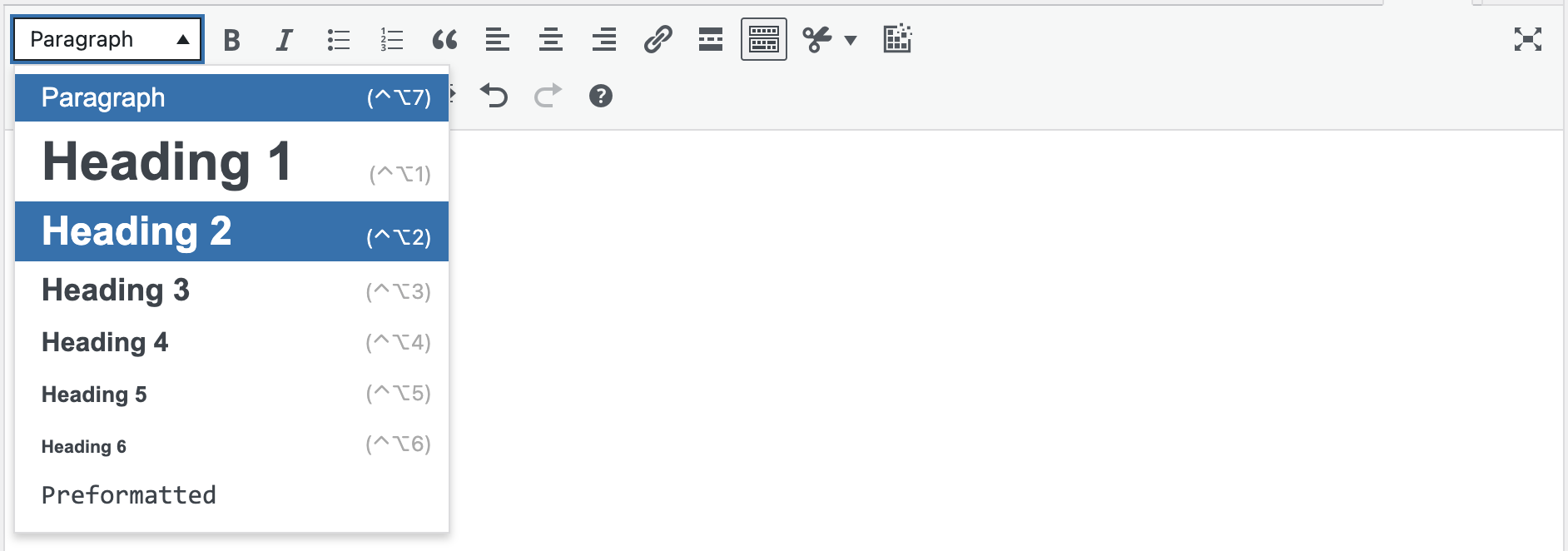
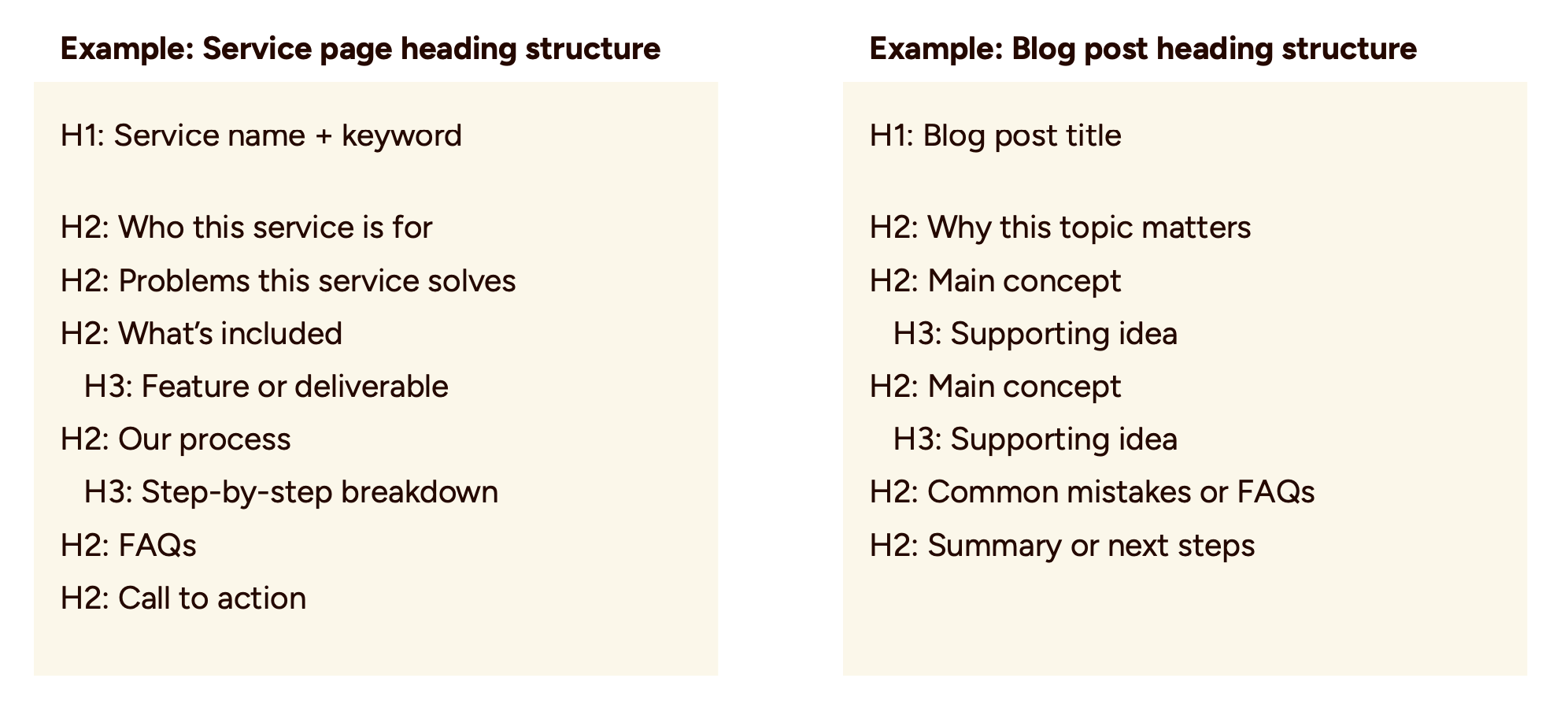
- Use headings throughout your page content. Use H2s for the main sections on the page, H3s for sub-sections, and maintain a logical hierarchy. Heading levels help Google understand topic relationships.
How to improve content quality
- A short FAQ section addressing the questions clients actually ask before hiring
- Internal links from related posts or pages that pass authority and guide visitors toward a decision and your service pages.
- Updated examples or results that reflect more recent work
- An expanded section that answers a related question that might help a potential customer address hesitations
- A clean conversion path — a form that’s easy to complete, or a next step for someone who isn’t ready to reach out yet
None of these changes takes hours. Most take 10–20 minutes. But they compound.
Week after week, those small improvements add up to more search engine traffic and more leads.
Your Sample 20-Minute Weekly Routine
Here’s how you can implement this SEO fix throughout the week:
- Monday — Analytics check: Open GA4. Which pages led to conversions this week? Any new pages?
- Tuesday — Customer language review: Any new inquiries or client messages with useful phrases or patterns
- Wednesday — One targeted content update: Pick one page and make one meaningful improvement to the on-page SEO or content quality.
- Thursday — Create a new piece of content: Based on the conversion page data in GA4, identify content topics that resonate, and create a new blog post. Ask yourself: Are these the pages a potential client would find useful to land on first?
- Friday: Identify the next page on your list for next week.
This creates a full week where every SEO fix you do on your website has a real impact. You’re not just making random tweaks and hoping for the best. You’re systematically updating your website for better rankings and to attract more leads from searches.
Best of luck! Let me know in the comments if you give any of these tips a try!