

People Also Search For (PASF) keywords box is triggered when users bounce back to the search engine result page. Google shows about 6 to 8 keywords per search query.
For SEO strategy, these keywords can be quite insightful for uncovering search intent and how people move through a topic on Google.
PASF keywords tend to be phrase match terms containing the original keyword.
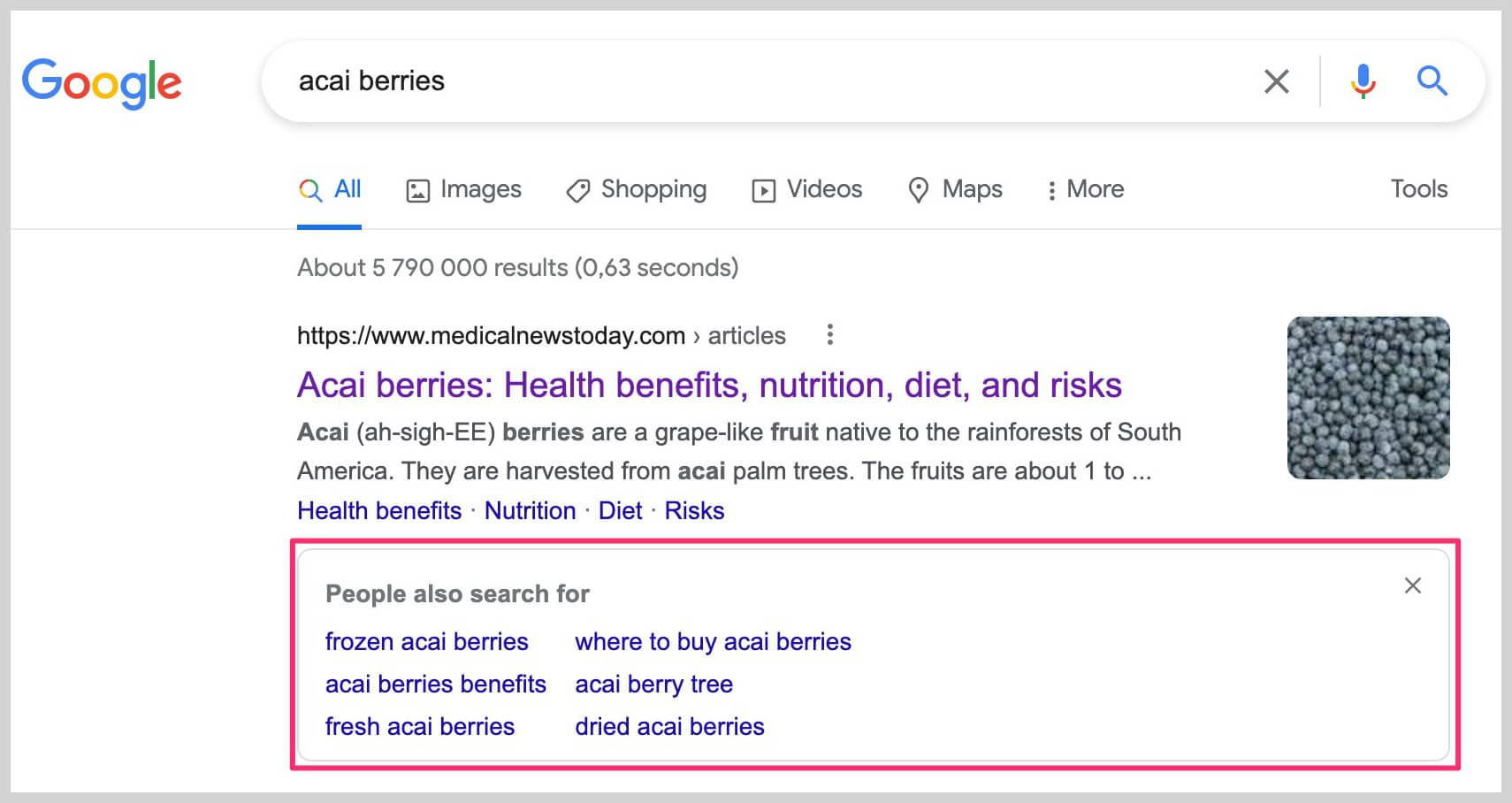
So Google assumes that you didn’t find the answer you were looking for on the website you visited, and is showing related queries to your original search.
The PASF keywords are Google’s way of telling us what they understand to be your search intent and the related terms that could help you further your search.
Advantages of using PASF keywords
- PASF keywords give us insight into what search terms your audience looks for next in their journey. This can help us create useful content that would answer their needs.
- Understanding PASF keywords can help us understand a topic more deeply and get into the mindset of how your audience search for a particular topic.
- So, PASF keywords can be a powerful marketing strategy if we know how to use them. It can help us satisfy search intent and create useful content that would keep users on your website longer. This reduces the chances of people pogo-sticking back to the search results.
Related: Long Tail vs Short Tail Keywords: What’s the difference and why it matters for SEO
How can you see the People also search for (PASF) box on Google?
1. URL click back
The PASF box appears after you have entered a keyword search, clicked through to a website from the SERPs then hit the back button, and returned to the search results.
2. Using keyword search on Google autocomplete:
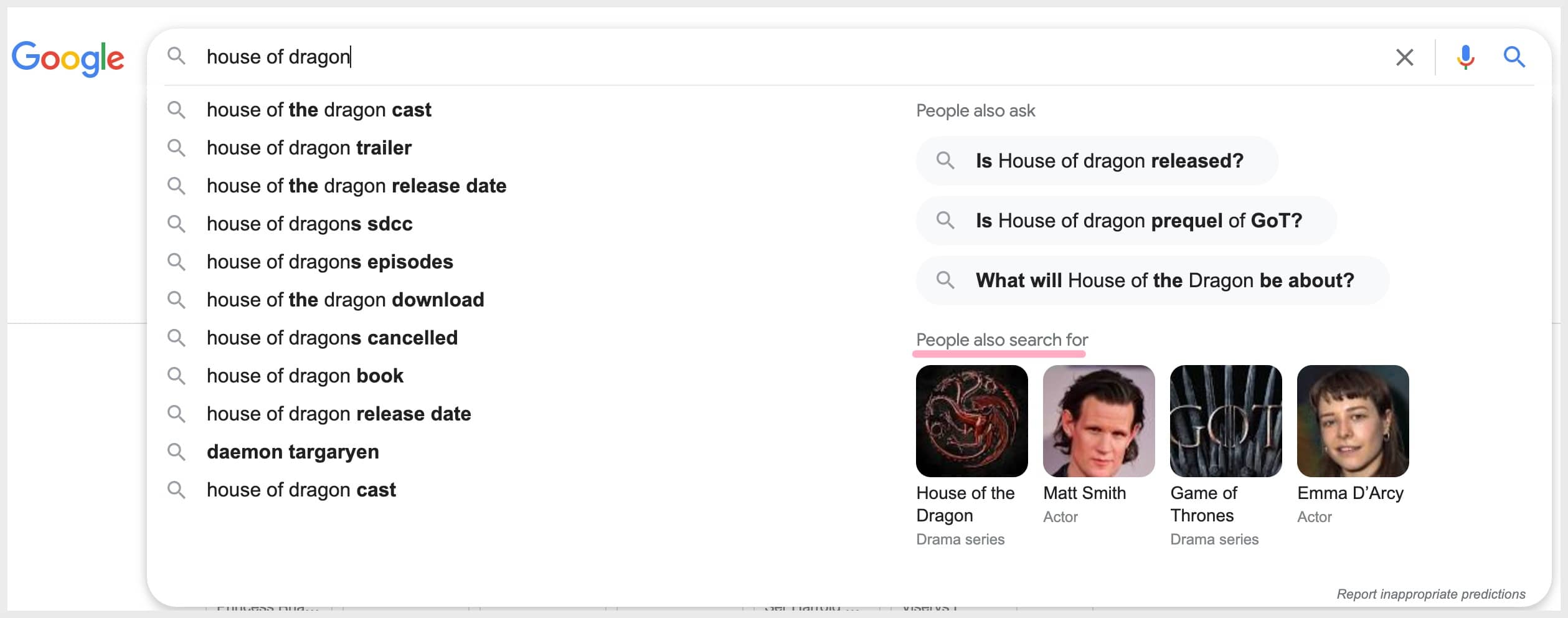
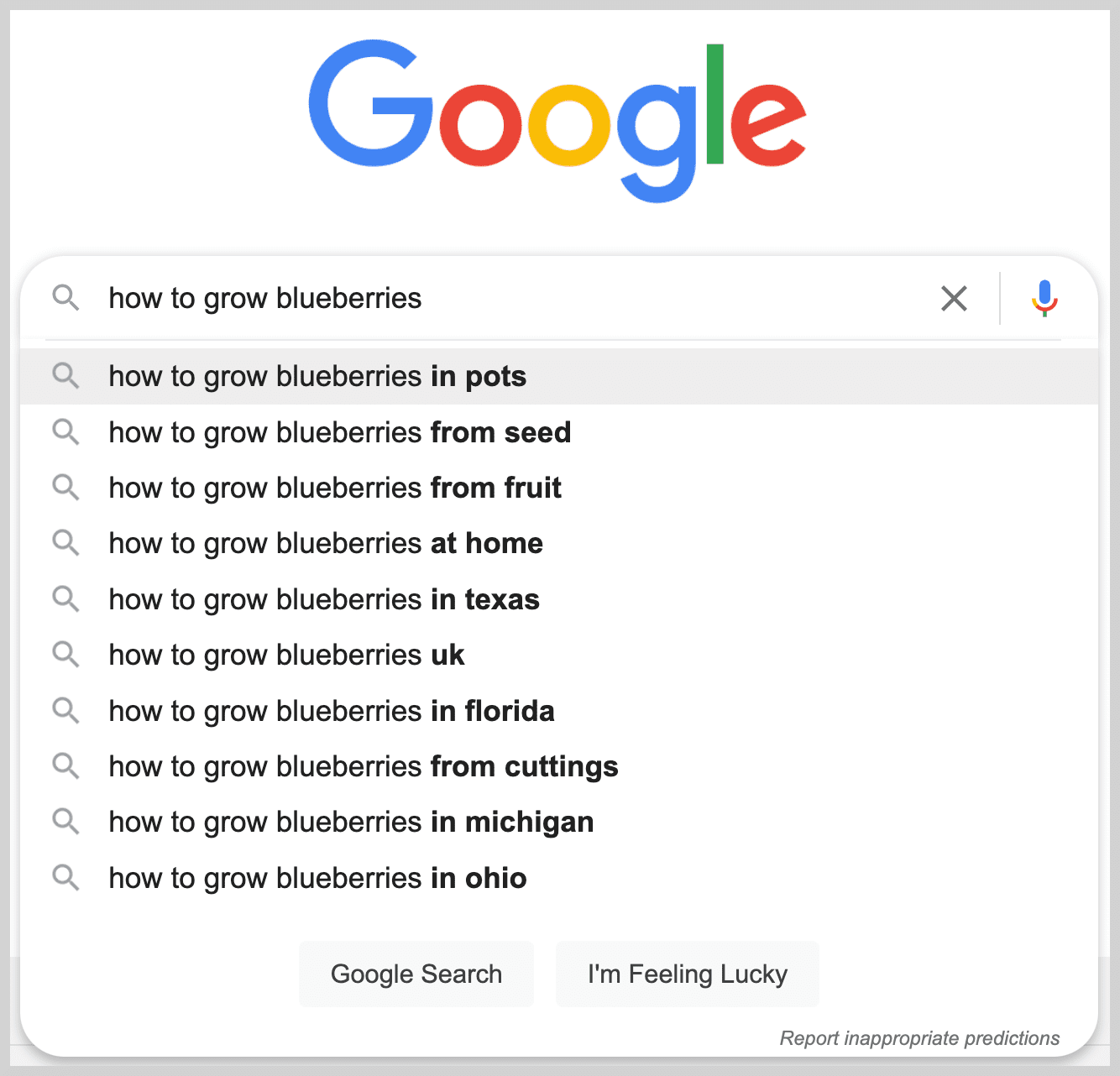
The PASF section also appears during the search query in Google’s autocomplete suggestions.
Organic search results
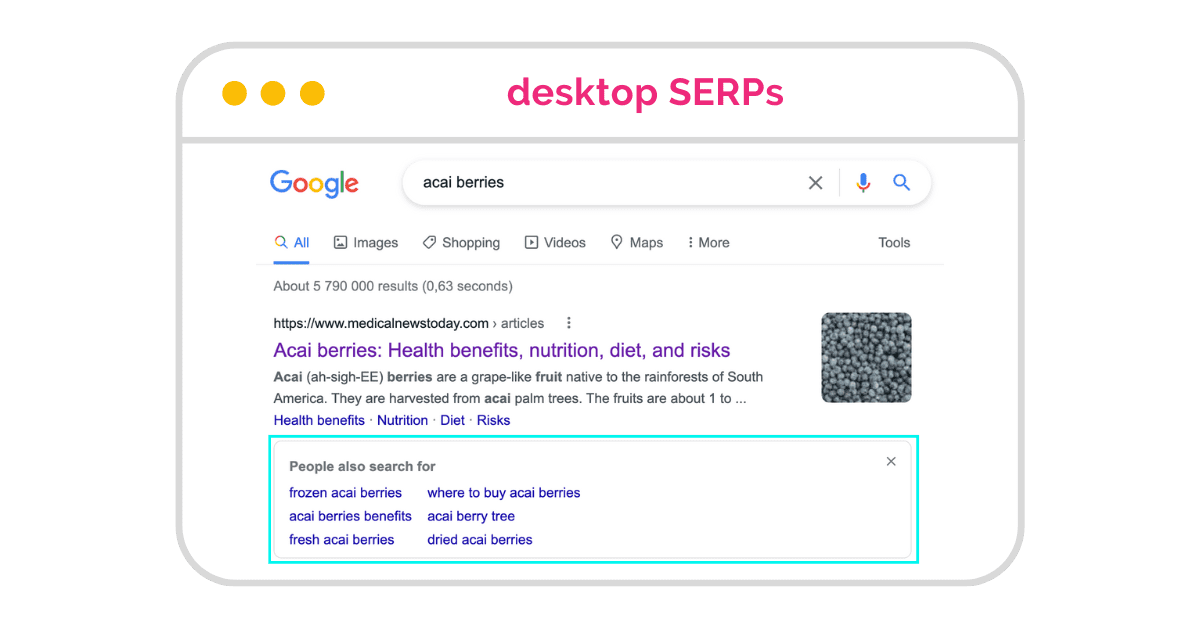
The position of the People Also Search For box follows your search behaviour – it appears on organic results under the website you last visited and closed.
On Desktop SERPs, the PASF box returns 6 keywords.
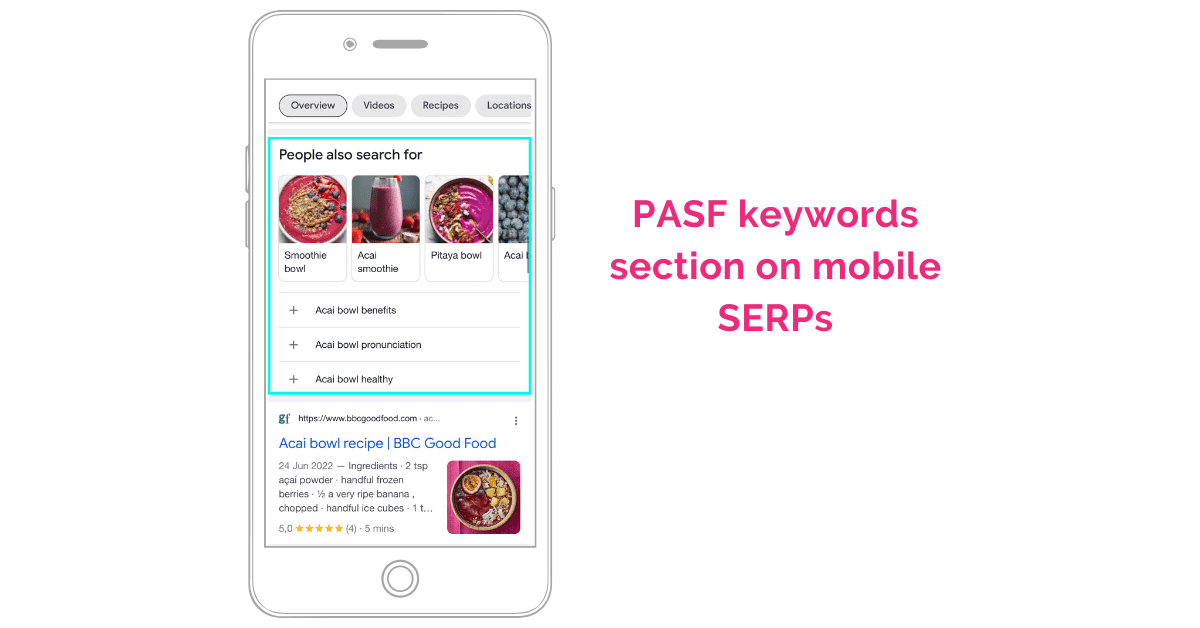
On Mobile devices, it returns 4 results.
Paid Search – Google Ads
The PASF box also appears under Google Ads.
Though there seem to be slightly a few more keywords triggered under Google ads.
- There are 8 keyword phrases shown here under this Google Ad placement for paid search.
- Compared to the 6 keyword phrases we saw in the PASF box for organic search.
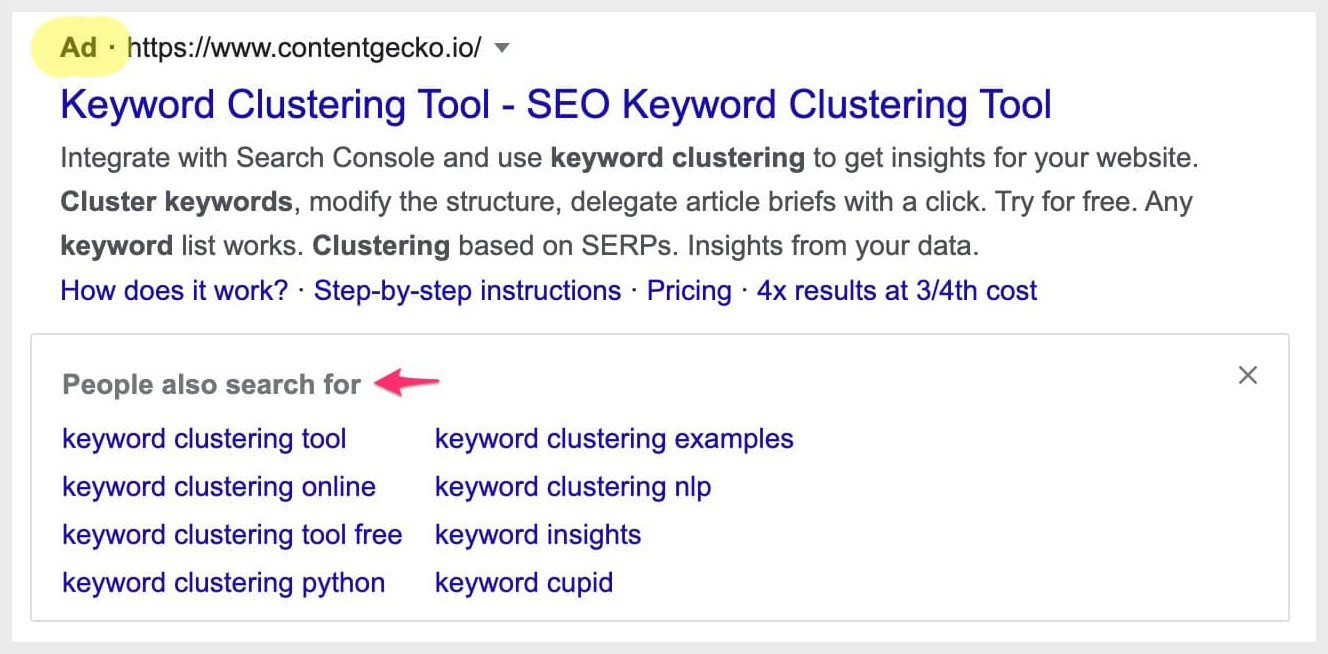
These keyword search queries can be a great way for Google advertisers to build their PPC campaigns.
There was a time when Google tested ads in the People also search for format. More about that here.
Google search engine result pages
Besides PASF, there are other features on Google search results that give us insight into how people search:
Google autocomplete suggestions
Google autocomplete is a feature to help users complete their search faster when they start to type. Keywords are usually more descriptive and longer phrases.
People also ask (PAA)
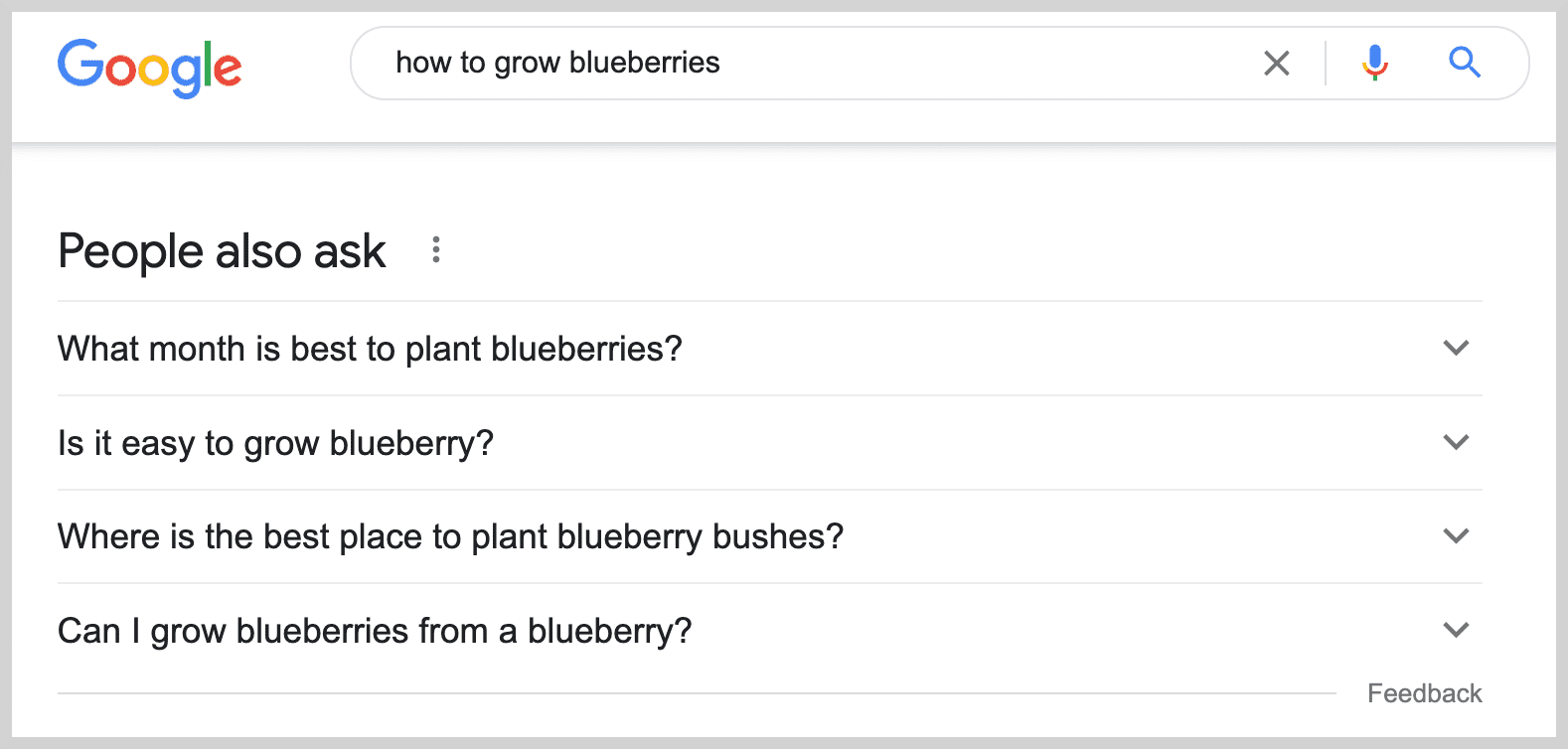
People also ask or PAA is a Google rich snippet feature that provides related questions users may be looking for.
These are question-based keywords. An example is a query, “how to grow blueberries”. The People Also Ask listings that appear are questions related to this original search.
Related searches at the bottom of SERPs
Related searches are search terms generated from Google’s algorithm related to your original search.
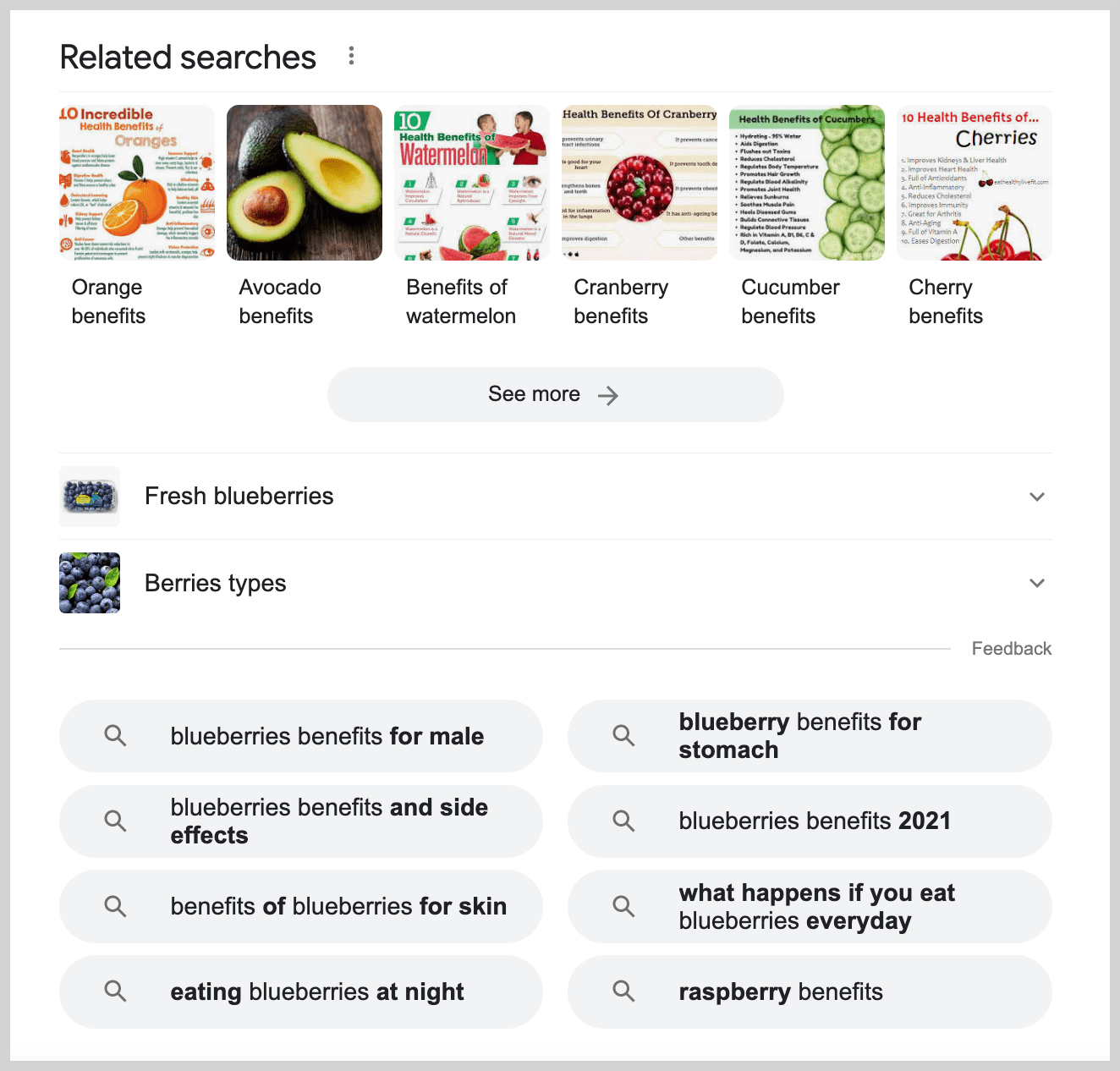
This data from Google can give your SEO strategy an advantage if you know how to leverage it! I share 4 strategies below. But first, let’s look at some differences between the People also ask (PAA) and the People also search for (PASF).
Differences between People also search for (PASF) vs People also ask (PAA)
The first difference is that the PASF results contain keyword phrases and not questions. The People also ask or PAA are additional questions about the main keyword.
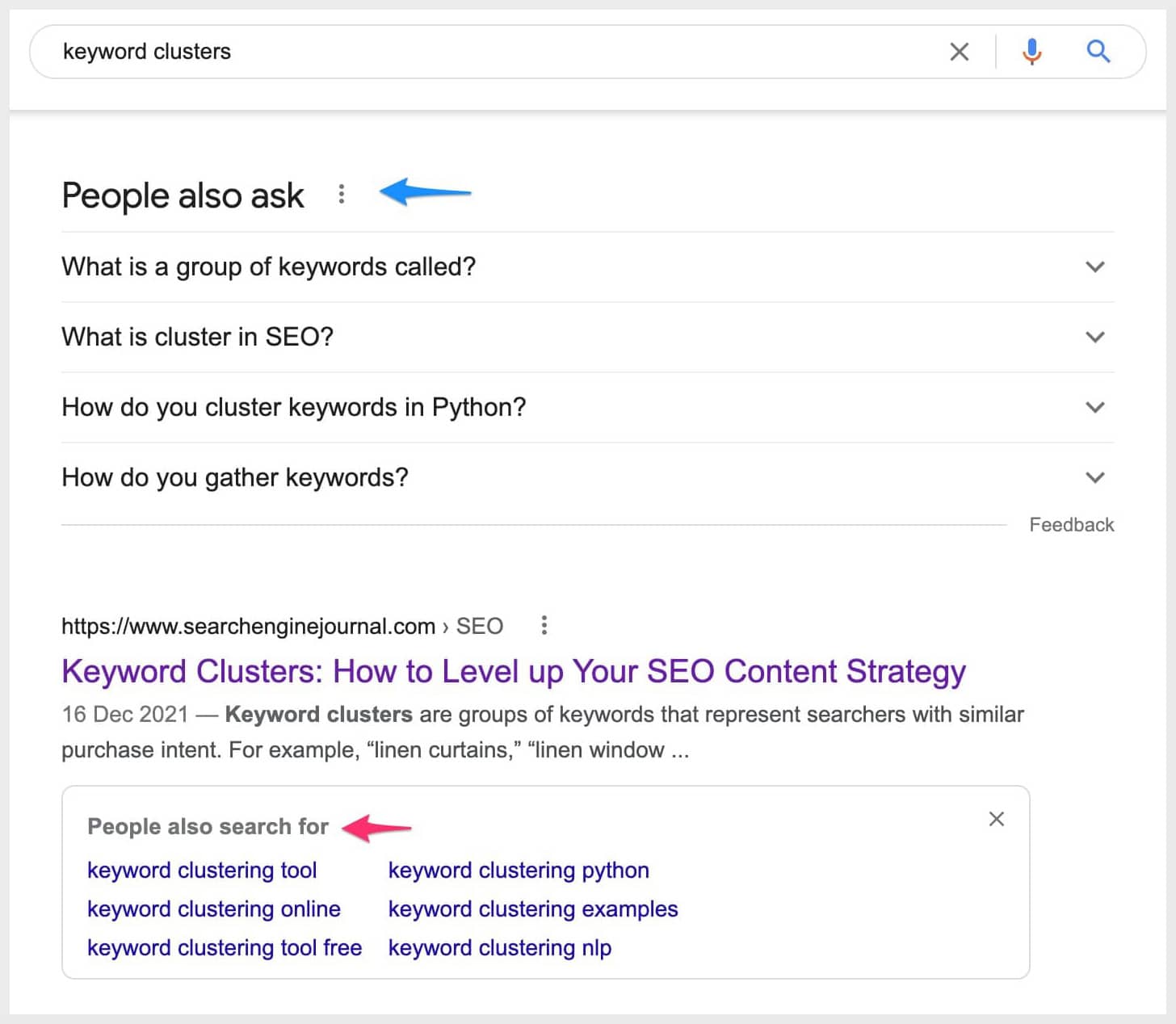
The second difference is how the PASF box is triggered and appears on the search engine results pages.
The PASF box appears later after you click back to return to Google’s search results. In comparison, PAA questions always appear on the search results after you enter a search query.
Another important difference is that you cannot rank in the PASF boxes. However, you can rank in the PAA boxes and drive traffic from Google’s search results.
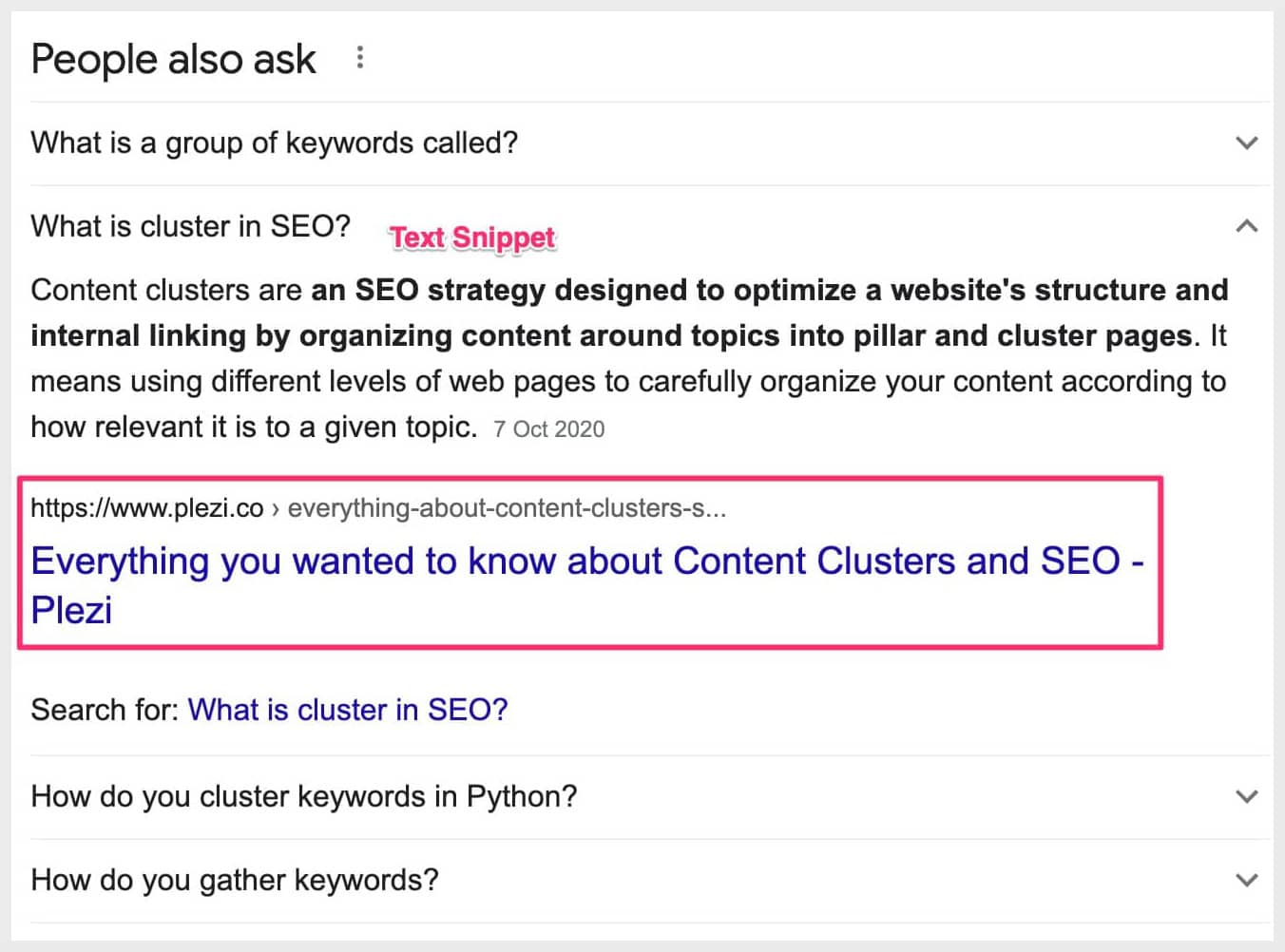
So you can click on the ranking URL and this drives organic traffic directly from the PAA box.
It acts like a featured snippet with a URL and a paragraph of text that answers the question when you click on the PAA listings. Another PAA feature is that Google bolds a text extract that may provide a direct answer to the question.
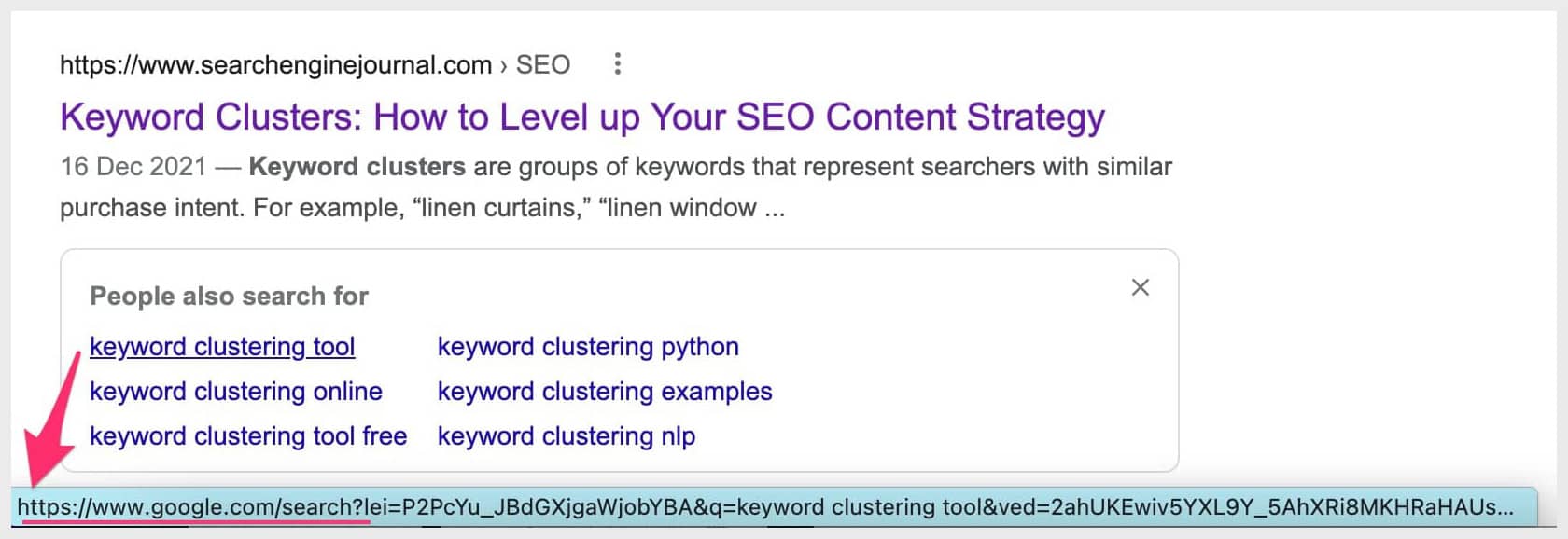
On the other hand, the PASF are links to other search results.
Google shows the PASF boxes beneath each website you visited and closed. So these PASF keyword phrases are meant to continue your search and open more search results related to the main query.
How to leverage People also search for (PASF) keywords for SEO
The PASF keywords appear for both organic and paid search results. Google wants users to find the information they were searching for and the PASF keywords give us important clues on their search patterns.
Related: SEO Traffic: What is it? How to Increase Your Organic Traffic from Google
1. Understand user intent and search behaviour patterns
The biggest advantage of the PASF keywords is that they tell us exactly what keyword phrases to search for next.
This is Google telling us if you didn’t find the answer you were looking for on a particular website, try these search terms instead.
The PASF keywords show us how Google thinks the user would move through this topic on search and their next step.
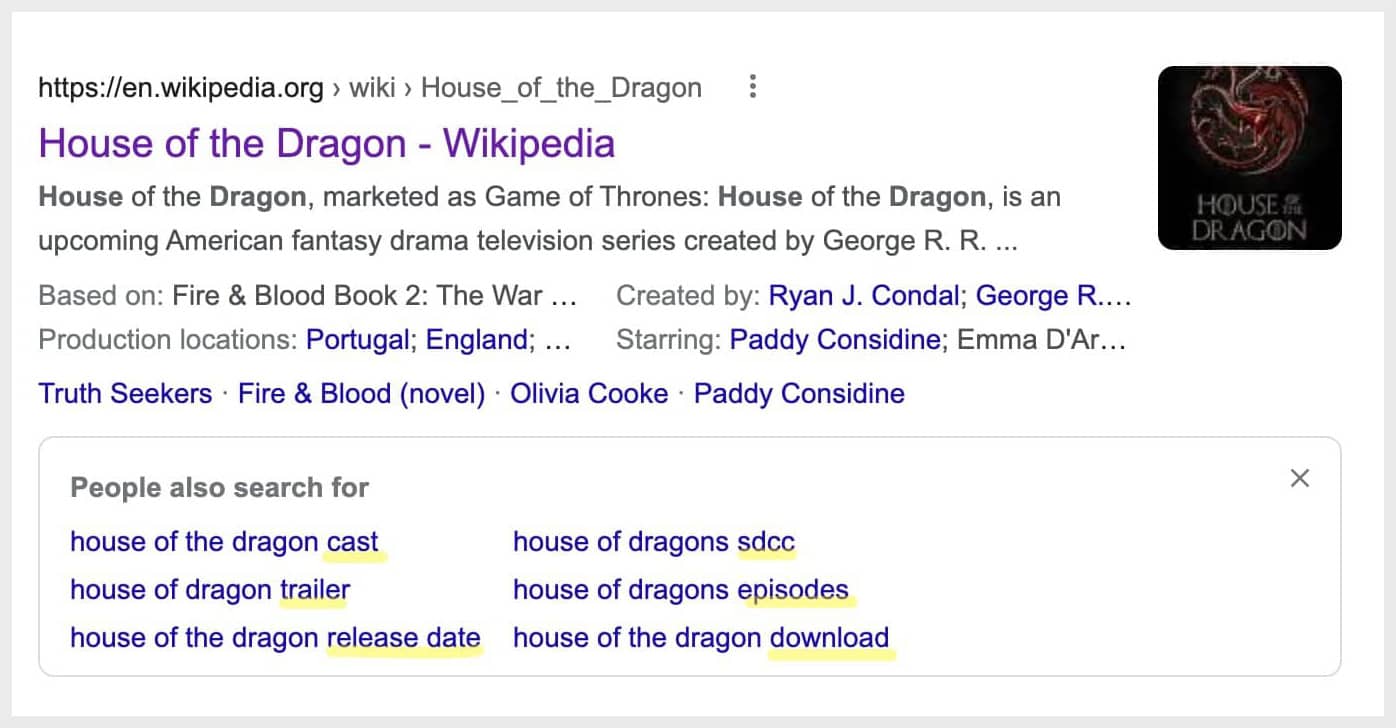
Take for example, when I searched for the TV series House of Dragon, the PASF box offers related topics about the cast, trailer, release date, sdcc, episodes, and download.
These are very relevant keywords that could be the next search query.
So a person searching for this main topic would likely be searching for these related keywords next – perhaps in the same session.
2. Create useful content knowing what your audience may search for next
PASF results are search patterns about how your target audience explores a particular topic.
This can help us create better and more complete content targeting their search behaviour and provide all the information they need because we know what they would search for next.
3. Using ‘People also search for’ (PASF) keywords to improve bounce rate
As the PASF keywords are triggered from a click back after visiting an unsatisfactory result, this data could be quite effective to improve engagement.
I am thinking to try this strategy on one of my articles that gets a good amount of pageviews but has a very high bounce rate.

Looking at the PASF keywords, I have some content ideas on how to improve this blog post already!
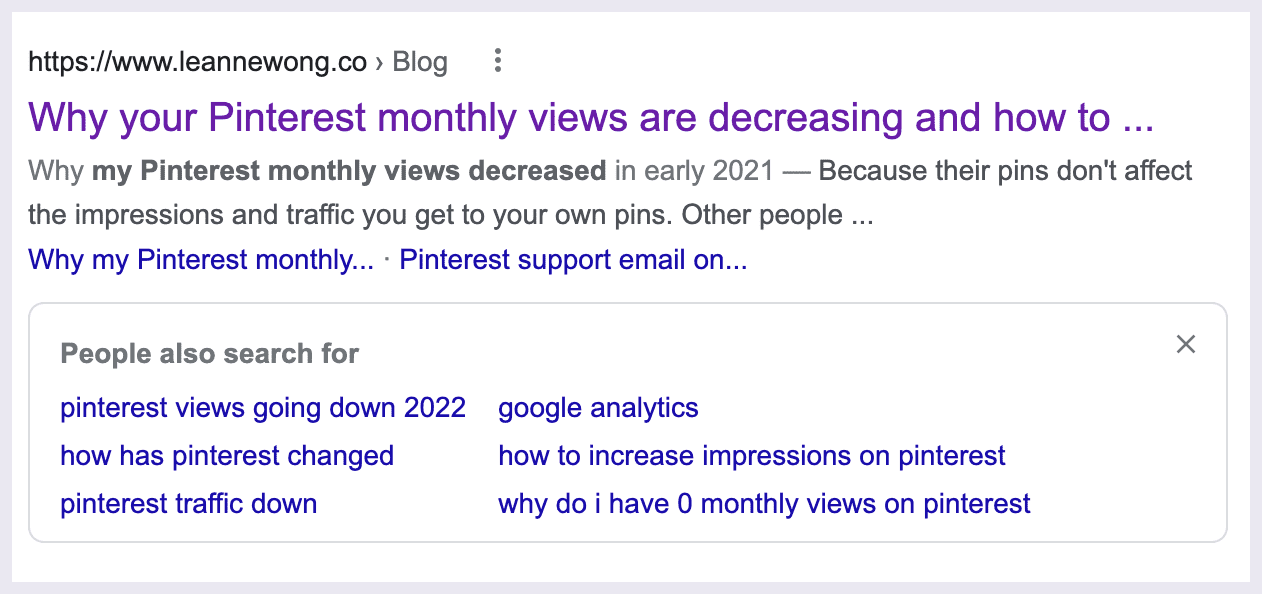
4. PASF seed keywords with high search volume
The People also search for keywords can have significant search volume. There is a good chance that you may find seed keywords and important secondary topics here.
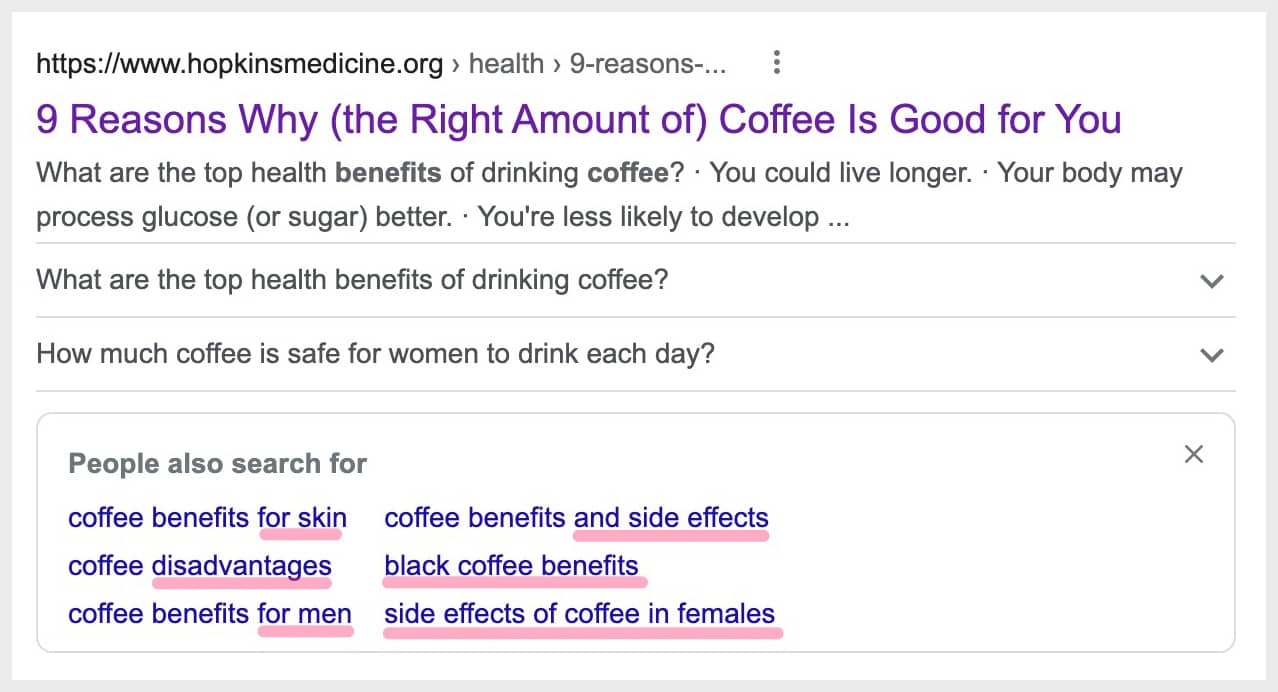 Example of the People also search for keywords for the query, coffee benefits
When I searched for coffee benefits, PASF suggests a few seed keywords such as coffee disadvantages and more specific long-tail keywords.
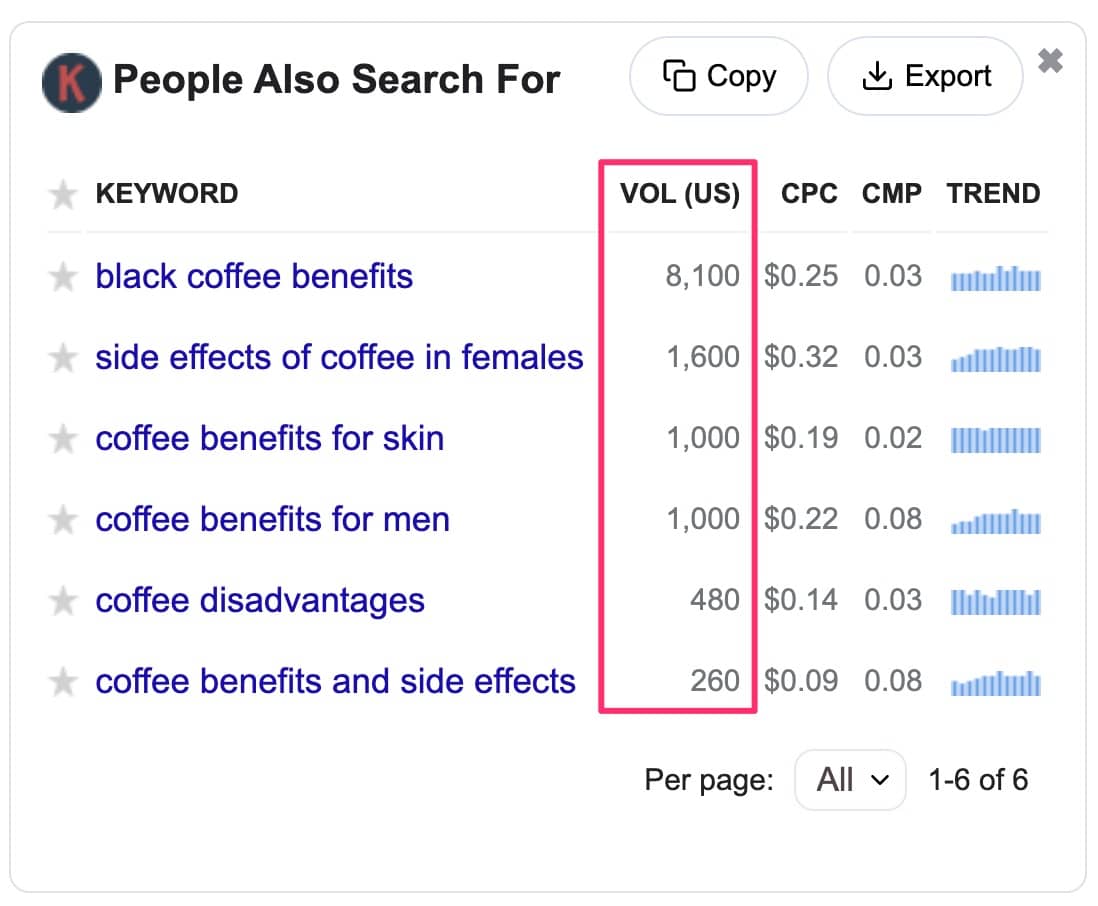
The high search volume indicates that the PASF keywords are popular search terms. So Google has consolidated the most relevant and likely most searched for keywords related to the original keyword.
Looking at the monthly search volume, these keywords are potentially relevant topics to include with high traffic potential. I’m using Keywords Everywhere to get the PASF keywords and search volume data.
How to find ‘People Also Search For’ (PASF) with keyword tools
The best way to find PASF keywords is to use a keyword tool. You don’t want to find these keywords manually by clicking back to the search results every time.
1. Keywords Everywhere
Keywords Everywhere is a chrome extension that gathers the People Also Search For keywords directly from the search results.
I love that Keywords Everywhere pulls the monthly search volume data directly from Google Keyword Planner. Which is the most reliable source of search volume data as it comes directly from Google!
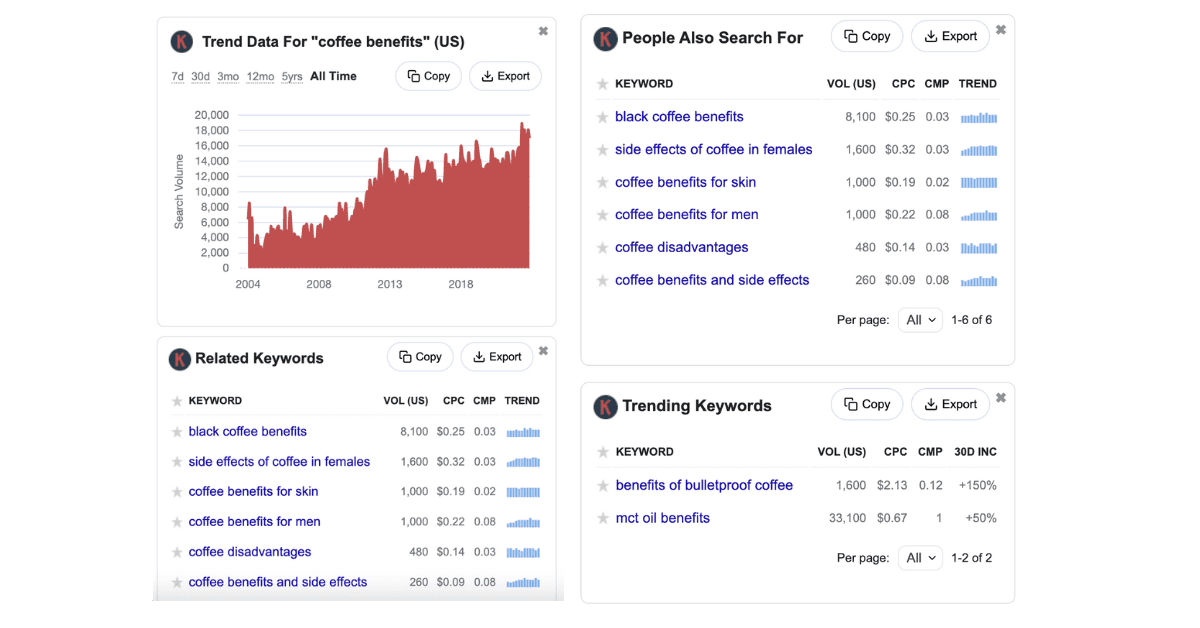
Keywords Everywhere works on chrome or firefox and you can analyze keywords directly on Google’s SERPs. This is a great keyword research tool to find plenty of related keywords, trending ideas, and long-tail keywords.
I love that it is connected to the MOZ DA link metrics so you can analyze the competition too.
It’s super affordable at $10 for 100,000 keyword credits. This can last you for a year or longer!
2. Search Response
I came across search response.io keyword tool that analyzes the People Also Ask, People Also Search For, and Related Searches by keyword and URL.
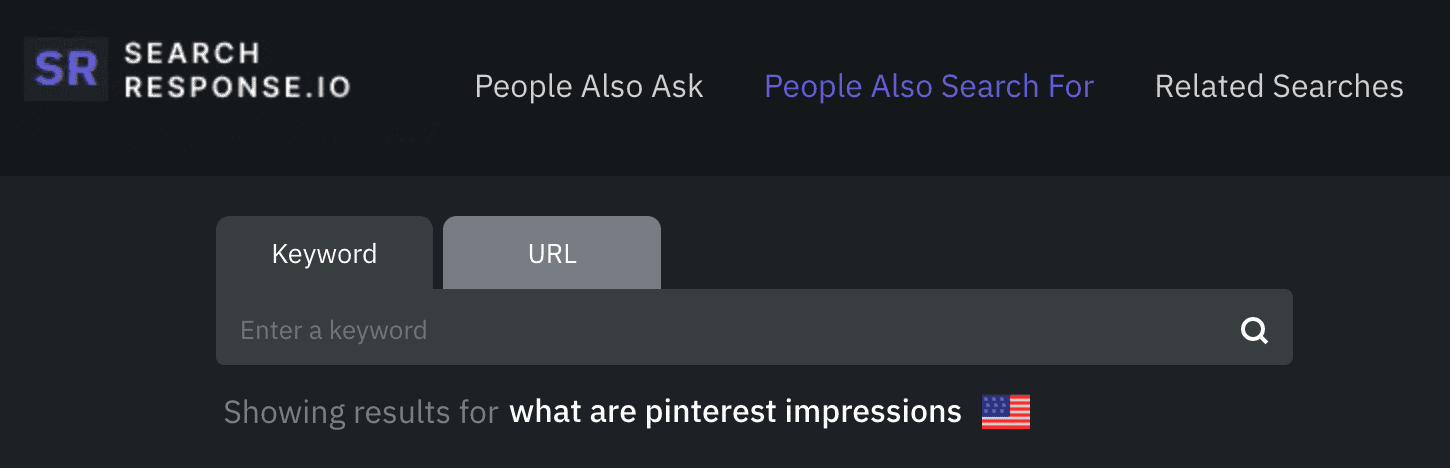
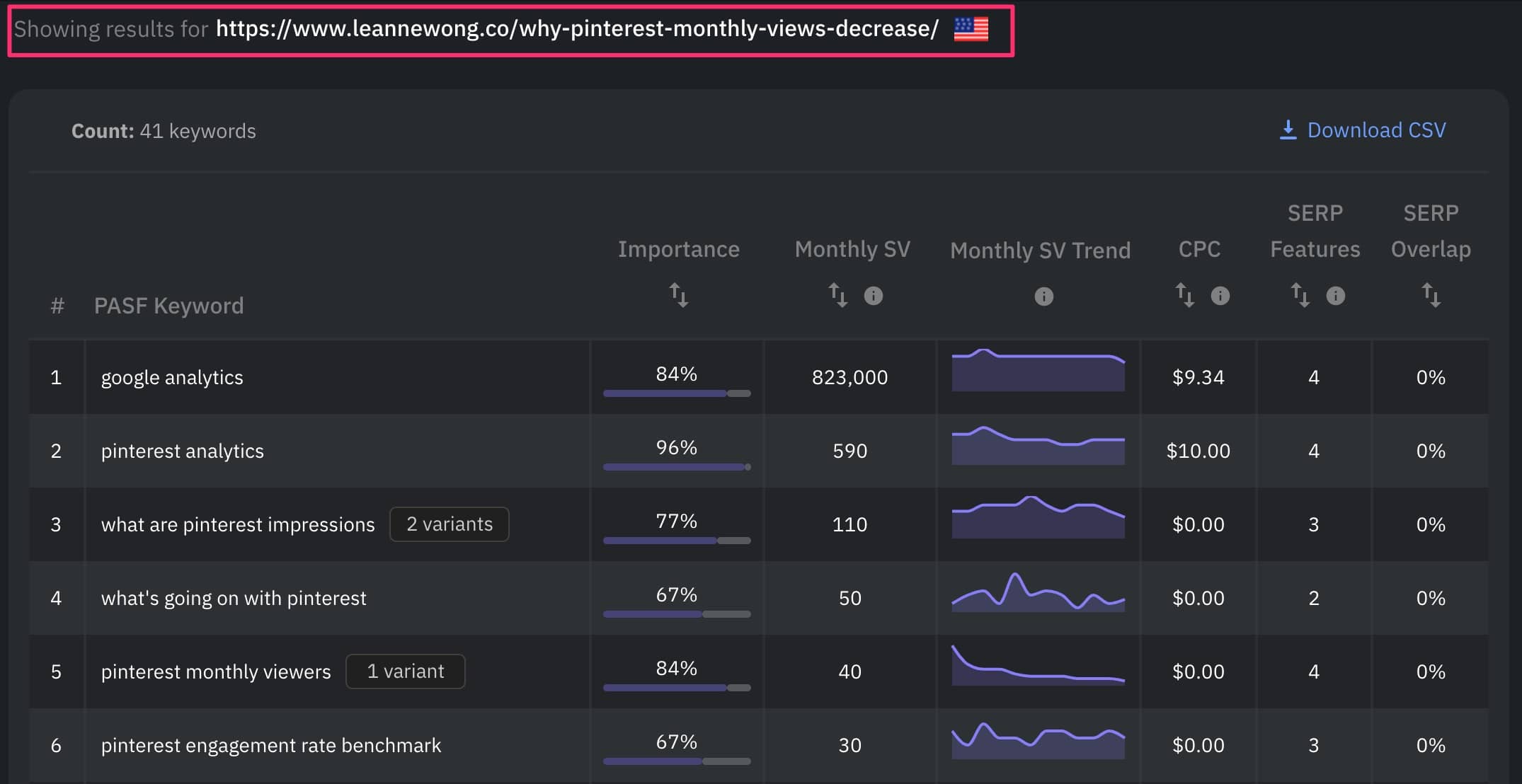
Compared to other tools, this tool stands out with their Importance analysis. This can help us prioritize the most relevant keywords.
This is a great way to find potential content gaps in a piece of content! You can enter your page or blog post URL and find all the PASF keywords people search for after bouncing back to the search results!





12 people reacted on this
Hhhhmmmm…this is interesting! I had always wondered what name is given to such suggestions that Google keeps throwing back at me, when I am searching for something.
WOW! I have never even heard of this. I feel so behind. At the same time, I am grateful to learn from you.
Aww thank you Elise!!
This is such an important tool to use in SEO. I never heard of it before, so I’m so happy I came across this.
Happy to help, Beth!
This is a great post! I will definitely start to use this. Glad you shared about it
I have to start using this! I have never heard of PASF before, but I can see how it can be a huge asset.
The PASF keywords are somewhat ‘hidden’ on the search results until you dig a little more!
I’ve never thought of using this before. I think it’s such a smart idea, though. It’s a great way to plan for future content.
Oh yes good idea!
I learn something new everytime I’m on your site! Thanks for the info on the “PASF”. Going to start implementing that into my keyword searches!
That’s awesome, Beth!